Assign Rooms Based on Room Features
Stay is enhanced to assign rooms to reservations based on the features available for the rooms. This enhancement helps users to identify the rooms that have features that match with the features requested by the guests as a preference.
-
The features that are available for the rooms are denoted as Guaranteed Attributes.
-
The features requested by the guests are denoted as Requested Attributes.
Feature Setting
The following new feature setting has been introduced to enable users to identify rooms with features that match the preference of the guests:
-
Name: Guaranteed Attributes
-
Value: Must be enabled
-
Comments: License is not required
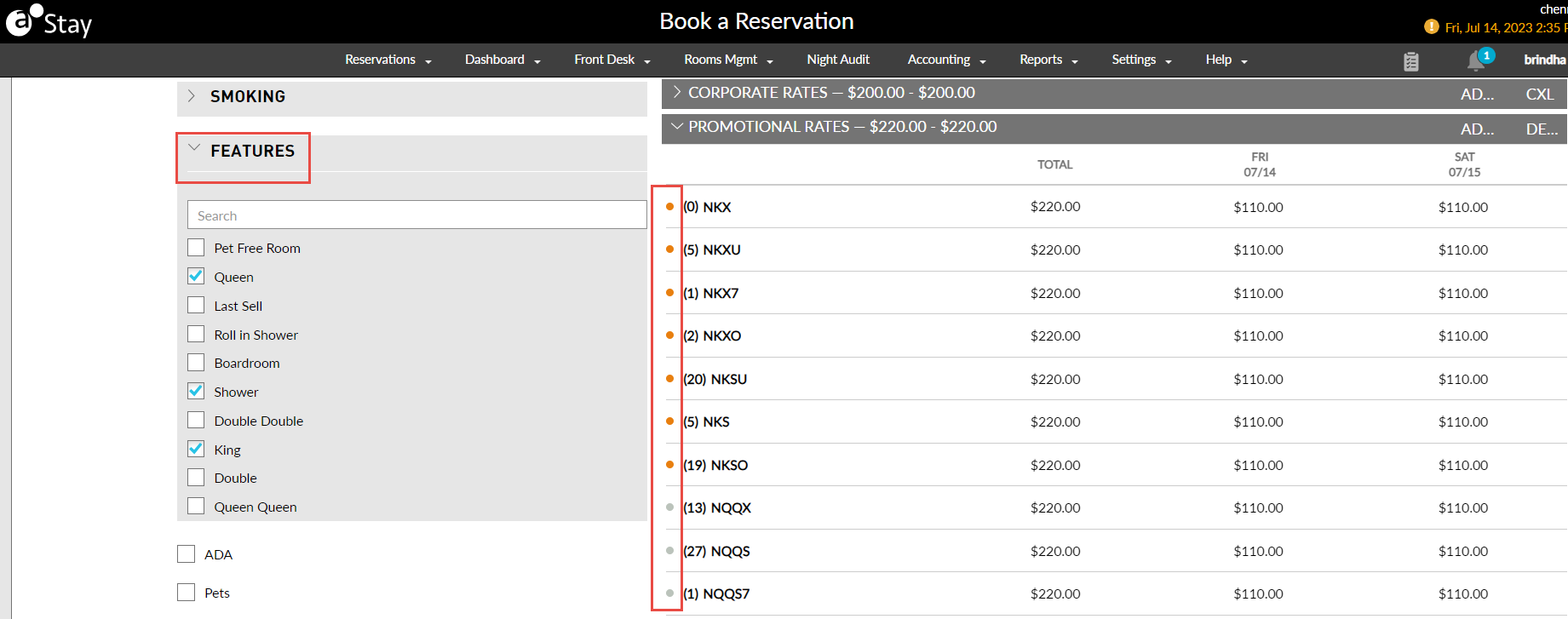
When the new feature setting is enabled, users can filter rooms on the Book a Reservation screen based on the features available for the rooms. This allows users to search and assign rooms that match the selected attributes.
When users select a room from the available filtered rooms, a color indicator is displayed that represents if the room type matches partially or fully with the selected features or does not match at all. The following color indicators have been introduced:
-
Green: Fully matched
-
Orange: Partial match
-
Grey: No match
The green indicator is displayed when the features of the selected room completely match the selected attributes. The orange indicator is displayed when the features of the selected room match one or more of the selected attributes. The grey indicator is displayed when none of the features of the selected room match the selected attributes.
The Guaranteed Attributes and the Requested Attributes for the selected rooms are displayed on the Book Reservation screen. Users can modify the requested attributes if required by selecting the preferred options in the Requested Attributes drop-down list.
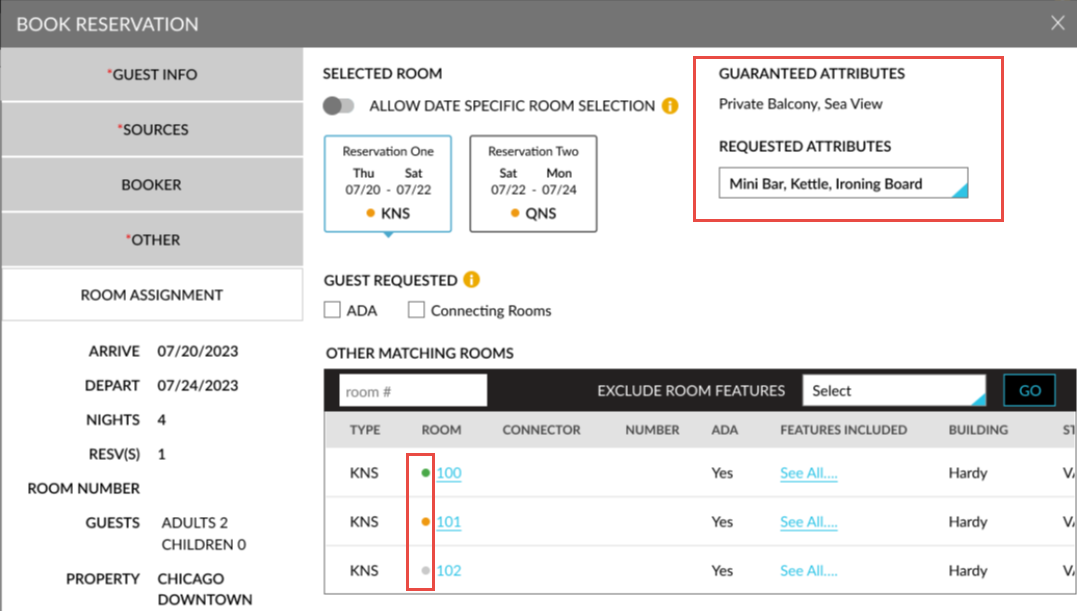
Users can also select rooms that do not match the selected attributes and complete the booking process.
Room Assignment Based on Selected Attributes
The rooms in the Other Matching Rooms section on the Reservation screen and on the Room Assignment tab of the Book Reservation screen display the rooms based on the priority of matching attributes.
The Guaranteed Attributes and the Requested Attributes for the rooms and the color indicator is displayed when users perform the following operations:
-
Scheduled Room Move
-
Copy reservation
-
Swap rooms between reservations from the Tape Chart screen
-
Modify room type via Modify Stay screen.
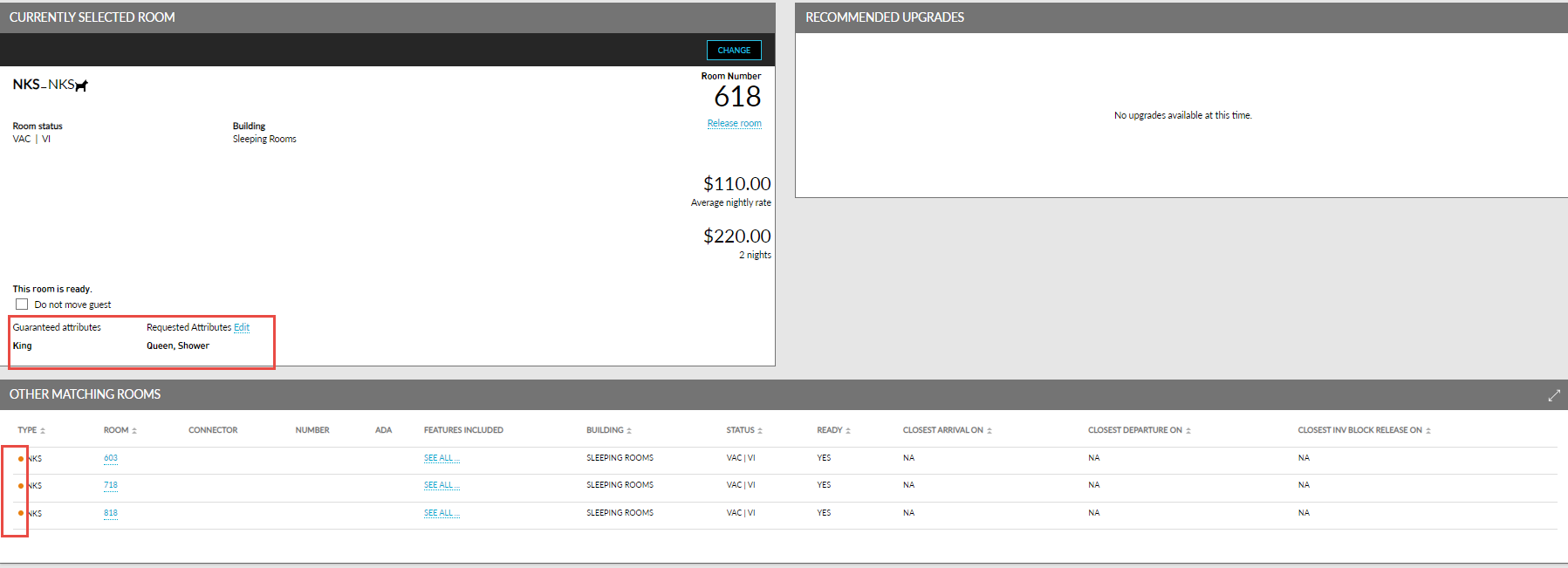
When a scheduled room move is performed for a reservation, or when a reservation is copied, room type is upgraded, or when users swap rooms between reservations, the rooms are displayed based on the priority of matching attributes.
The Guaranteed Attributes and the Requested Attributes for the selected rooms are displayed in the Currently Selected Room section and in the Other Matching Rooms section of the reservation they are displayed along with the color indicator.
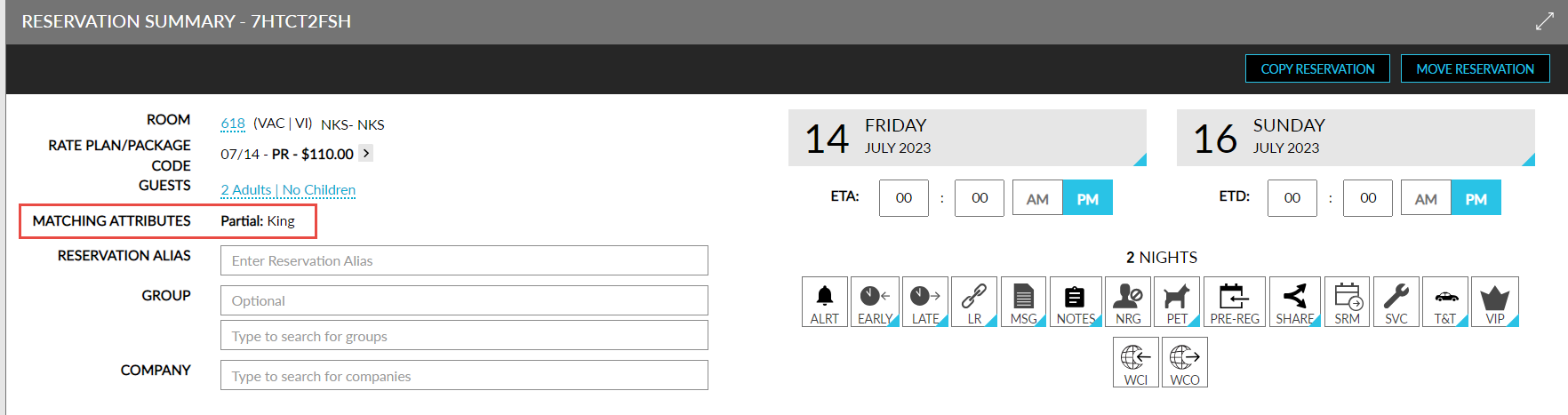
The Matching Attributes field on the Reservation Summary section of the reservation displays the room features that match the features requested by the guests.
When users move reservations to other properties and if the feature setting is enabled in the destination property, users can select the Requested Attributes that are available in the destination property from the Move Reservation screen. The attributes from the current property cannot be moved to the destination property.
To support this enhancement, the following changes have been made:
-
A new filter, Features, has been added to the Book a Reservation screen that allows users to select the required features to be available in a room.
-
New color indicators have been added to the room types displayed on the Book a Reservation screen that indicates if the room type matches partially or completely with the selected features or does not match at all.
-
Two new fields, Guaranteed Attributes and Requested Attributes, have been added that display the room features available for the rooms and the features requested by the guests.
-
A new field, Matching Attributes, has been added to the Reservation Summary section of the reservation displays the room features that match the features requested by the guests.