Batch Print Coupons for Reservations from the Batch Operations Screen
Stay is enhanced to allow users to batch print coupons for all the reservations that are set to arrive on the current property date, and up to a maximum of 7 days in the future, from the Batch Operations screen. This helps users to prepare in advance for the guest’s arrival. Previously, users had to navigate to each reservation to print the coupons.
Feature Setting
-
Name: Batch Coupons
-
Value: Must be enabled
-
Comments: License is not required
To support this enhancement, a new tab, Coupons, is added to the Batch Operations screen. This tab is displayed only when the new feature setting, Batch Coupons, is enabled.
Coupons Tab
This tab displays all the following information for the active reservations for the day with the following statuses: Arriving, In House, Moved and Reserved.
|
|
|---|---|
|
|
|
|
|
|
|
|
|
|
|
|
|
|
|
|
|
|
|
|
|
|
-
All the columns can be sorted in both ascending and descending order.
-
Users can search for a record by keying in the reservation confirmation number or the group name in the Search field.
-
A date picker is added next to the Search field. This allows users to select a single date from the current property date, up to a maximum of 7 days in the future.
-
A new checkbox, Select (Count) Reservation(s), is added to allow users to select all the reservations listed in the current page.
-
Users can configure the count of records to be displayed in each page (10,25, 50 or 100). By default, 10 records are displayed per page.
-
Pagination is provided to help users navigate to the previous and next pages.
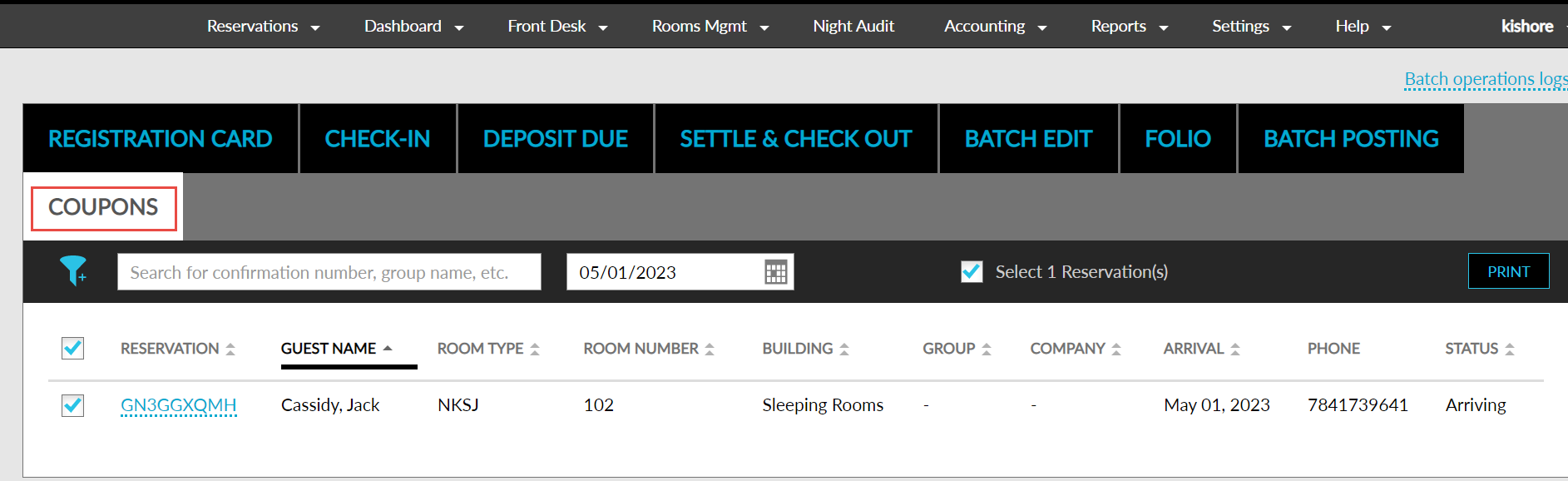
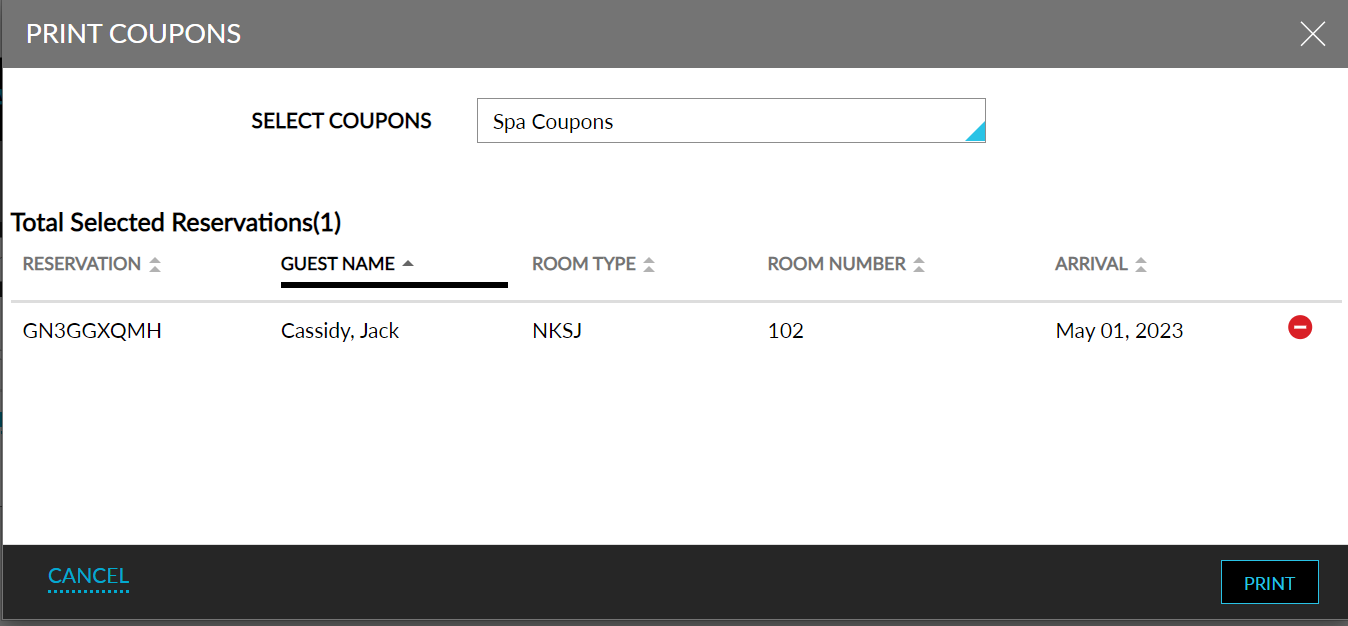
Users can print coupons for the reservations by selecting the required reservations and clicking the Print button. When clicked, the Print Coupons screen appears that displays the following details:
|
|
|---|---|
|
|
|
Total Selected Reservations (Count) |
|
|
|
|
|
|
|
|
|
-
All the columns in the Print Coupons screen can be sorted.
-
A Remove icon is added next to the Arrival date to remove a record from being printed.
-
A Print button is added, that navigates to the Print Preview screen when clicked. This screen accommodates 6 copies per page, as per the existing functionality.