Configure Maximum Guest Count Allowed for Add-Ons
Stay is enhanced to allow users to configure the maximum count of guests allowed to utilize the individual or package add-ons added to a reservation. The maximum guest count allowed can be defined for the age categories configured at the property, such as, Adults, Children, and so on.
For example, users can configure an add-on, Breakfast, that offers breakfast for a maximum of 2 adults of a reservation at a cost of $10 per person. When this add-on is added to a reservation with a guest count of 2 adults, the add-on will apply to both the guests in the reservation at the cost of $20.
Users can define the maximum guest count for the following:
-
Add-ons with fixed and allowance components
-
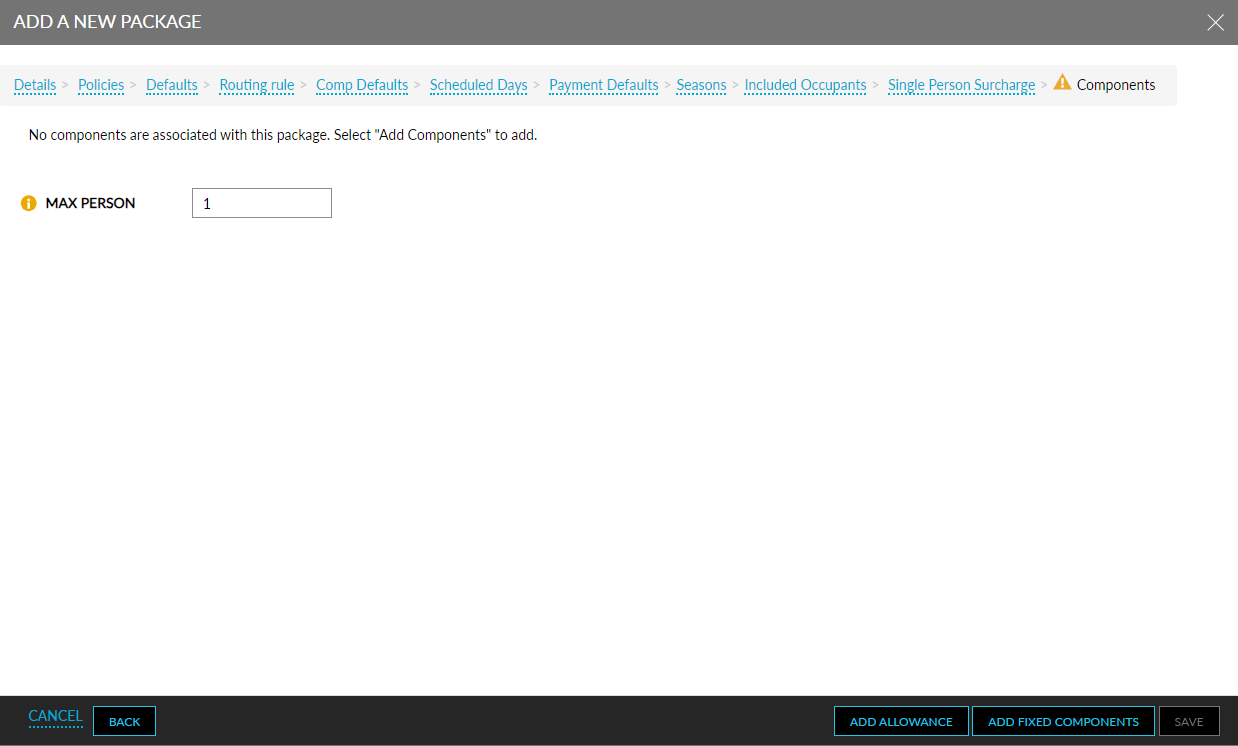
Package rate plans with fixed and allowance components
-
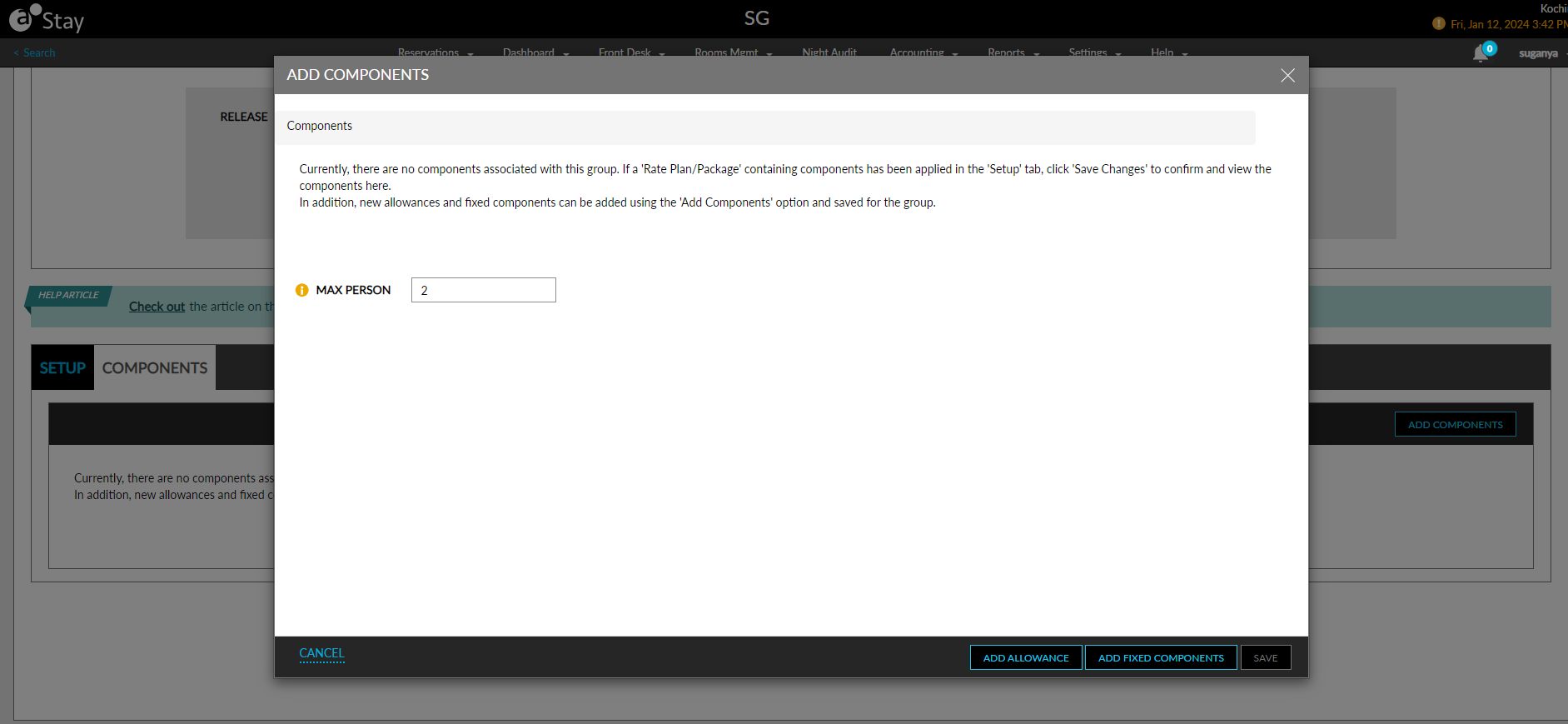
Fixed and allowance components added for a group (Group ➜Room Blocks ➜Components ➜Add Components)
Feature Setting
The following feature setting must be enabled to use this feature:
-
Name: Enhanced Add-ons
-
Comments: License is not required
Configure Maximum Guest Count for Fixed Components
When the Enhanced Add-ons feature setting is enabled, users can configure the maximum guest count allowed in the Max Person field in the Details section of the Add a New Add-Ons screen (Settings ➜ Rates ➜ Add-Ons ➜ Add New).
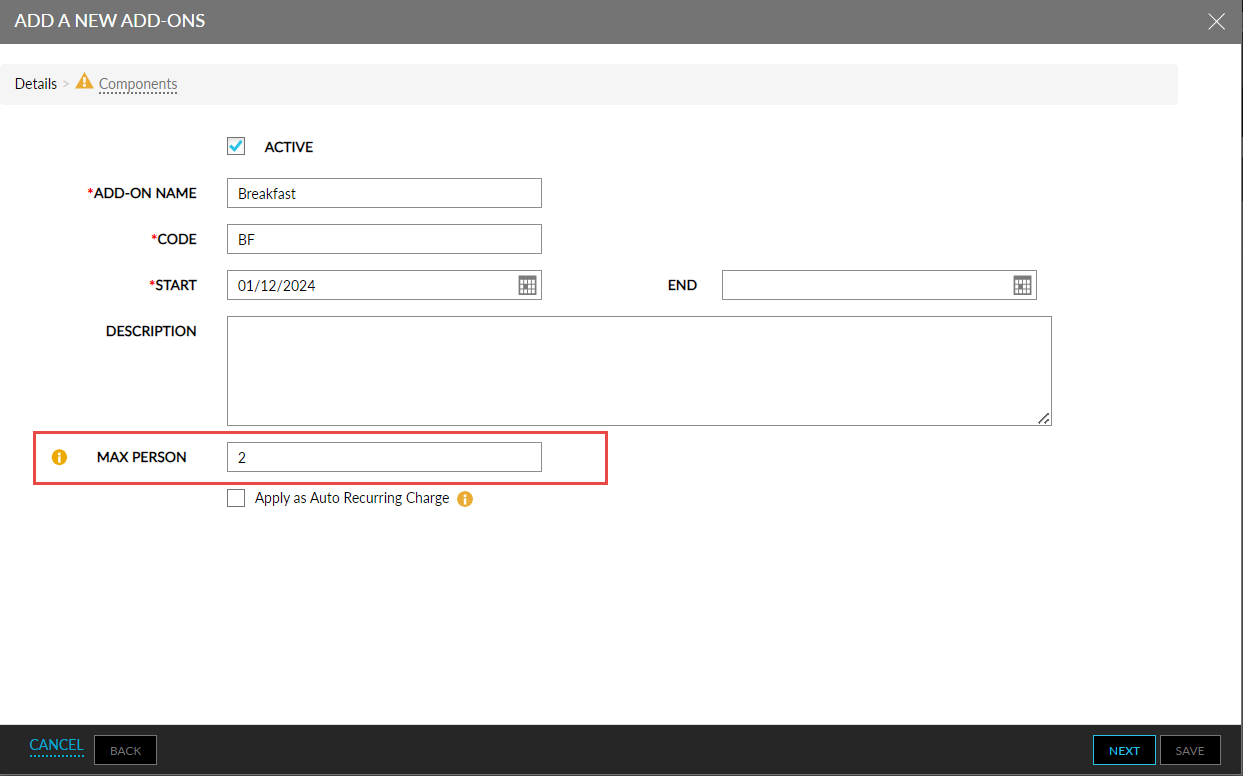
This is an optional field that accepts positive numeric characters. By default, the value displayed is 0. Users can enter values from 0 to 99. When the value entered exceeds the maximum limit, the message, Entered value exceeds the max person limit, will be displayed.
When users proceed to add fixed components, a new column, Max Person, will be displayed when selecting the transaction/inventory items.
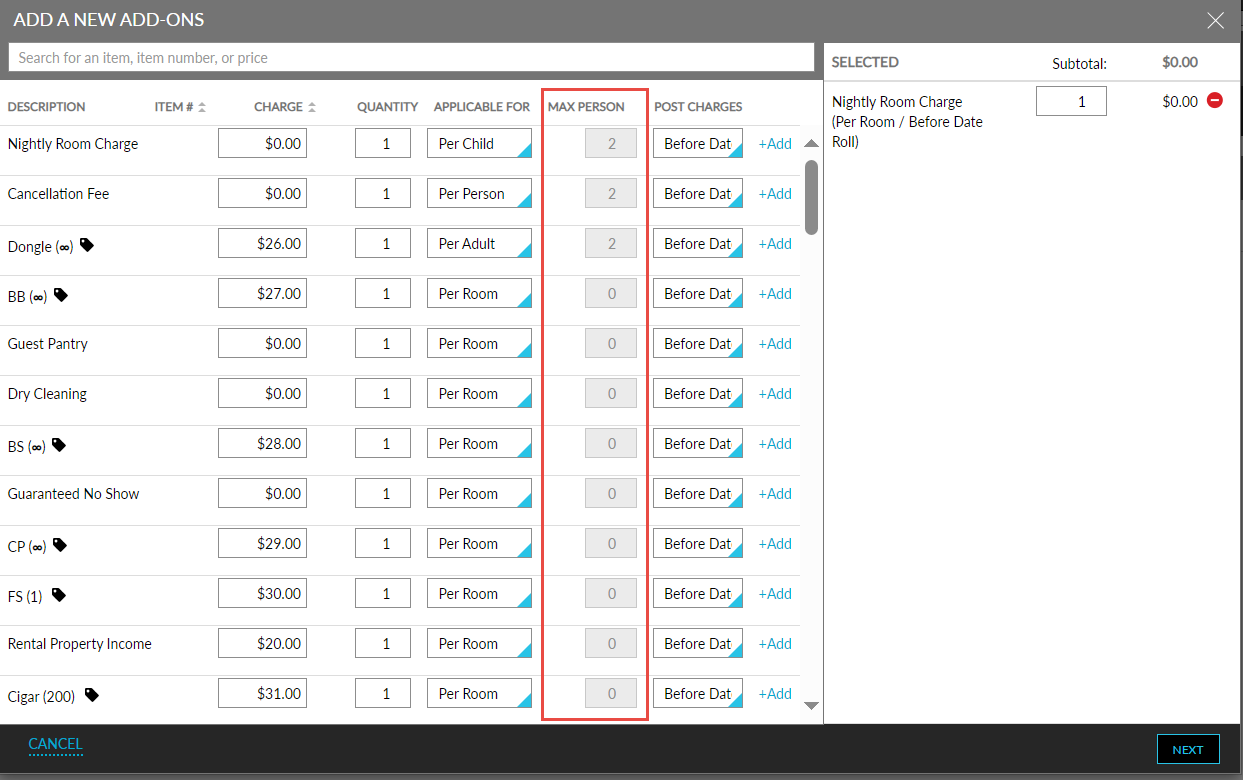
The Max Person value configured in the Details section will be displayed only for the following options selected in the Applicable For drop-down list:
-
Per Person
-
Per Adult
-
Per Child
-
Other age categories configured
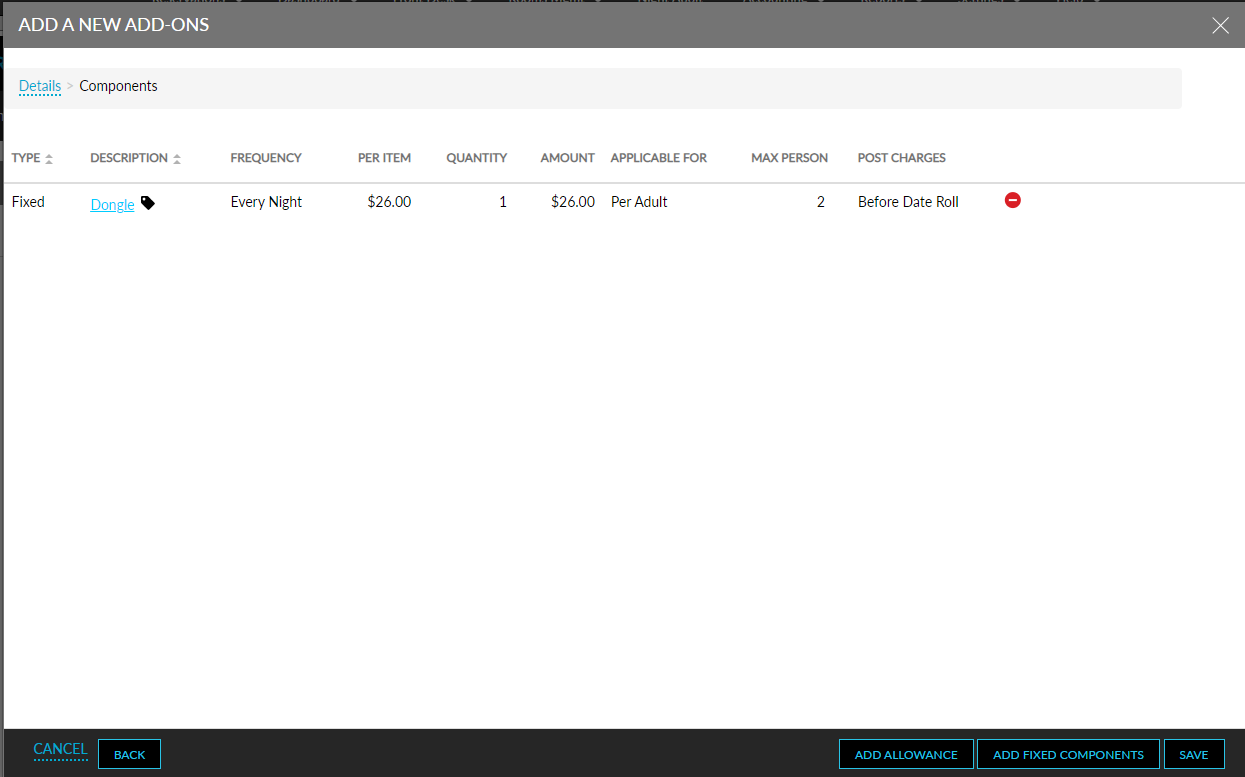
The maximum guest count cannot be applied when the Per Room option is selected. When the Max Person value is not configured in the Details section, the Max Person column will display 0. The value displayed in this column cannot be modified. Once the fixed components and their frequencies are selected, the Max Person column in the Components section displays the maximum guest count configured.
Configure Maximum Guest Count for Allowance Components
When users add allowance components for an add-on, the Max Person value configured in the Details section will be displayed in the Max Person field in the Charge section only for the following options selected in the Charge Based On drop-down list:
-
Per Person
-
Per Adult
-
Per Child
-
Other age categories configured
The maximum guest count cannot be applied when the Per Room option is selected. When the Max Person value is not configured in the Details section, the Max Person field will display 0. The value displayed in this field cannot be modified.
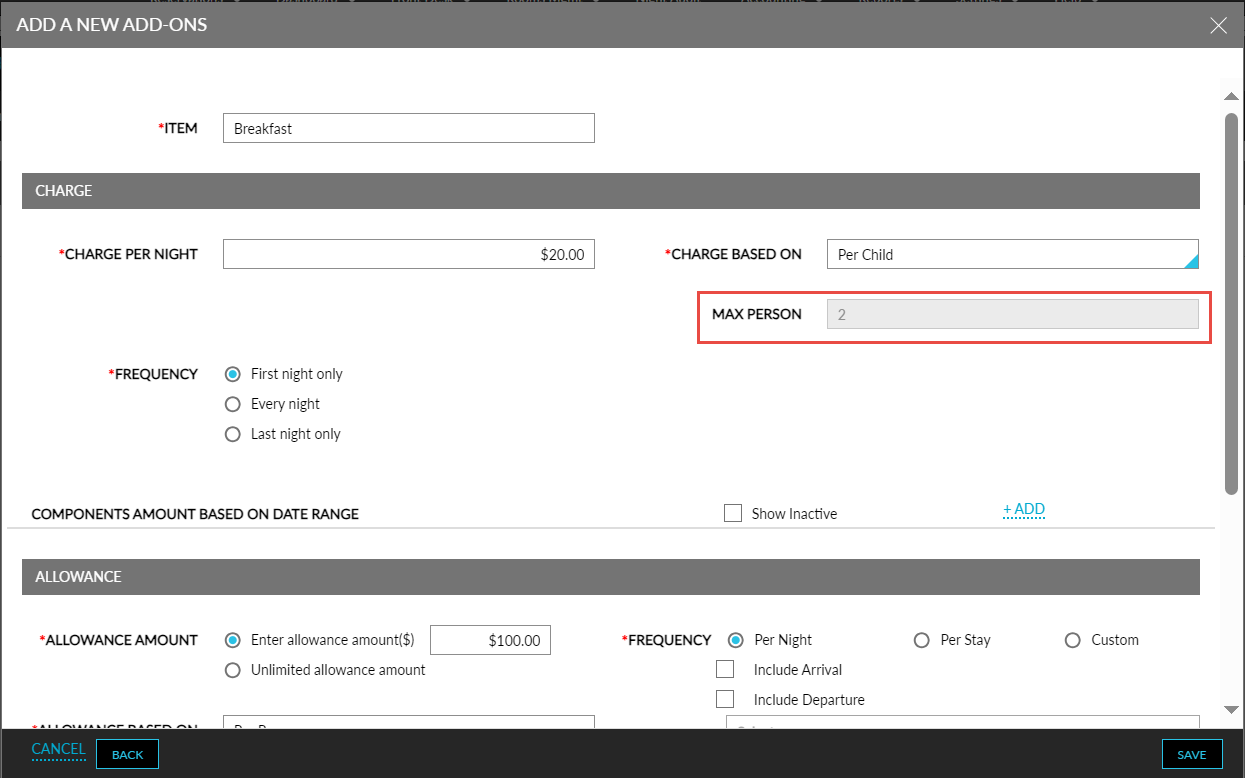
The maximum guest count can be applied only for the charge of the allowance component and not for the allowance amount.
Once the allowance components and their frequencies are selected, the Max Person column in the Components section displays the maximum guest count configured. Once the add-ons are saved, the maximum guest count configured for the add-on is displayed below the add-on name for both the individual and package add-ons in the Add-Ons screen.
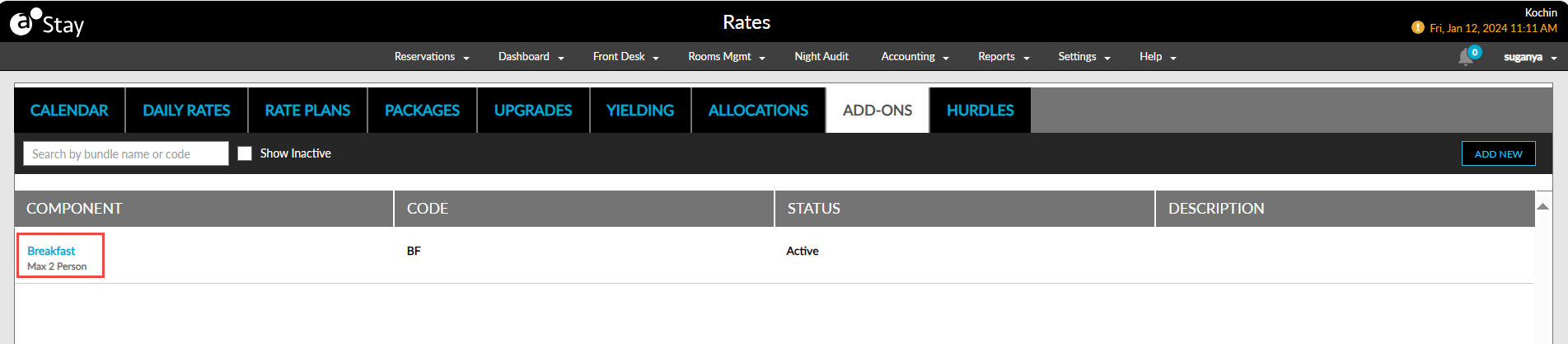
The maximum guest count can be configured in the same manner for package rate plans and group components.
Associate Add-Ons in Reservations
When users add a package add-on configured with maximum guest count to a reservation using the Choose Add-Ons option (Reservation ➜ Estimated Charges ➜ Choose Add-Ons), the guest count of the reservation is compared with the maximum guest count of the selected add-on. When the guest count of the reservation exceeds the maximum guest count, the following message will be displayed as a banner in the Choose Add-Ons pop-up screen: Number of guests on the reservation exceeds the maximum allowed on the add-on.
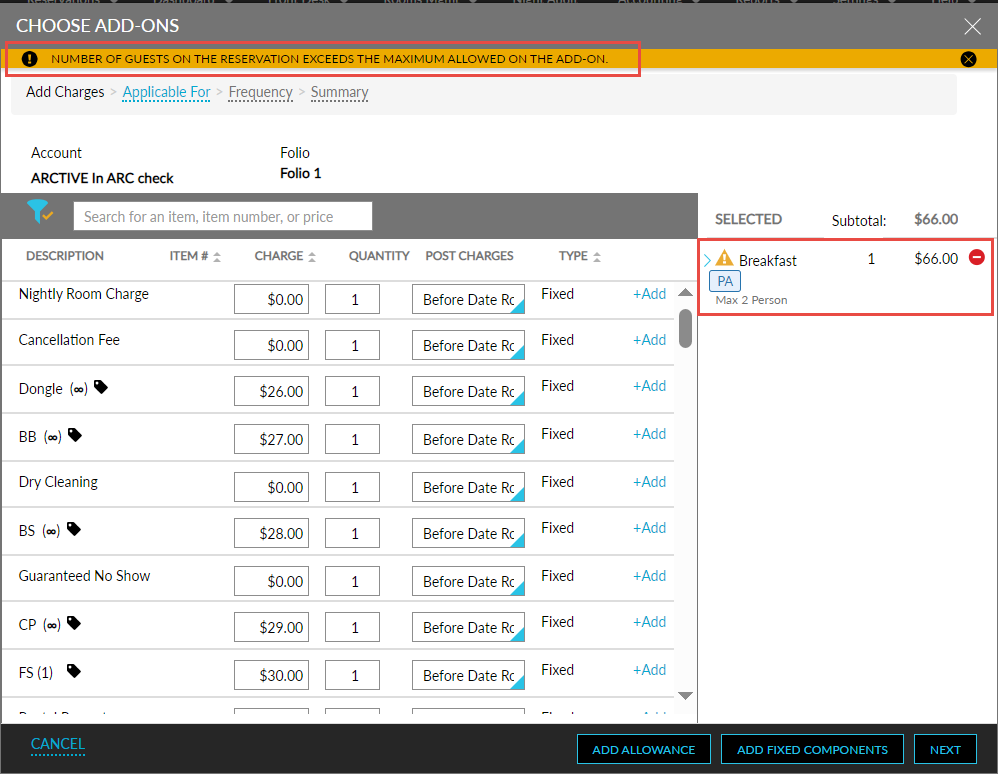
An information icon next to the selected add-on also displays the mentioned message when hovered over. Users can proceed to add the add-on to the reservation.
Once the package add-ons configured with maximum guest count is added to a reservation, the add-on cannot be added again to the same reservation. Also, users cannot modify the Applicable For and Frequency options selected for the add-on.
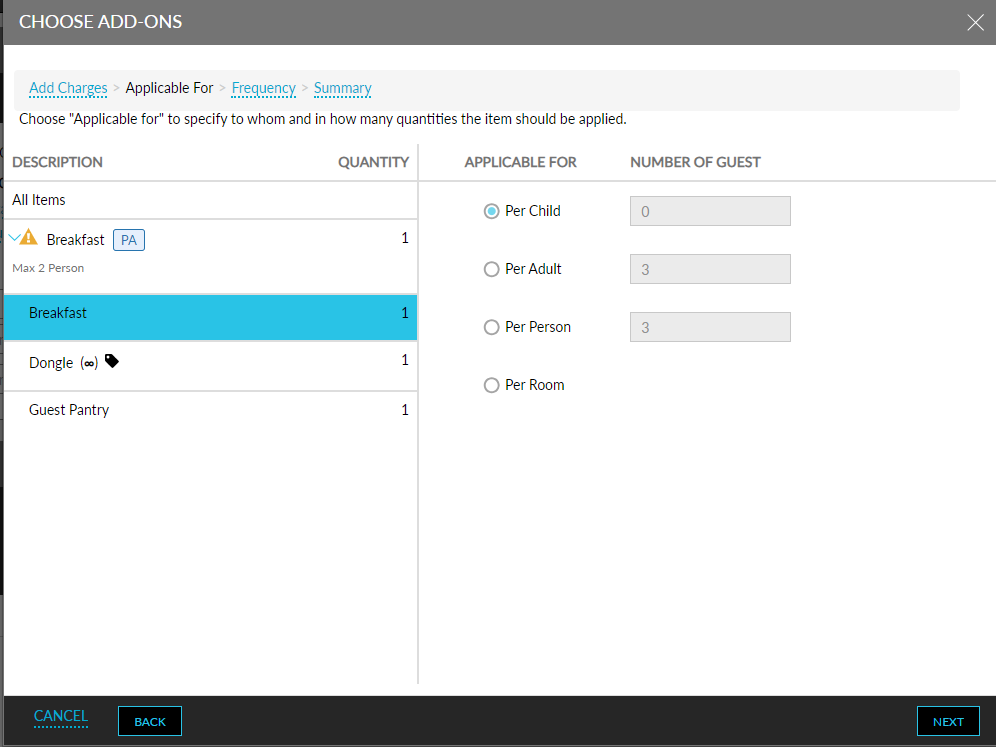
Once the add-ons are added to the reservation, the quantity of the add-on components for the reservation will be calculated based on the reservation’s guest count and the maximum guest count of the add-on.
For example, consider an add-on, Breakfast, with the maximum guest count defined as 2 per adult for the following components with the quantity set as 1:
-
Dongle
-
Guest Pantry
When this add-on is added to a reservation with 2 adults, the components are applied for both the adults. Hence, the quantity of the components in the Estimated Charges section of the reservation is set as 2.
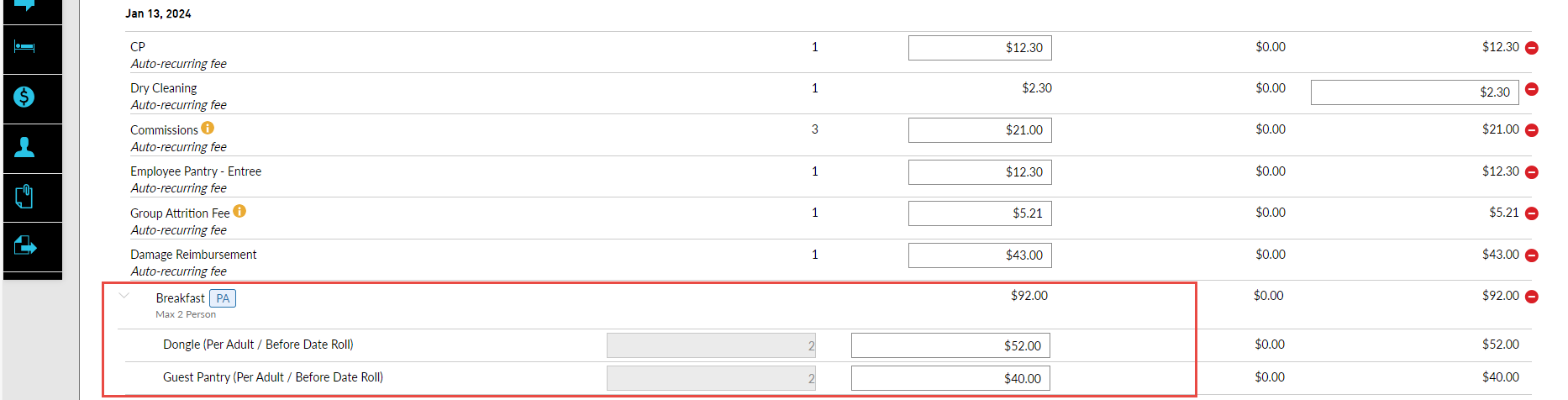
The quantity of the applied add-on components will be greyed out and cannot be modified. Also, users cannot remove an add-on component. Only the entire add-on bundle can be removed if required. When multiple package add-ons are added to a reservation, the highest value of the maximum guest count amongst the add-ons will be considered.
Associate Add-Ons in Group Reservations
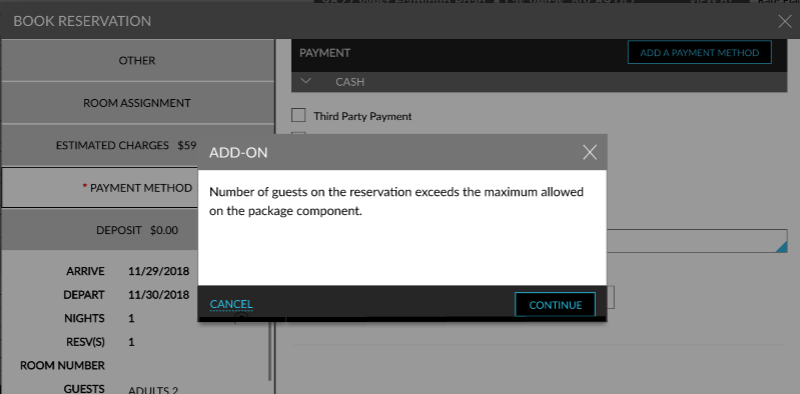
When users create reservations for groups that have fixed/allowance components with maximum guest count defined, on clicking Book or Book As Walk-In options in the Book Reservation screen, the guest count of the reservation is compared with the maximum guest count of the group components. When the reservation’s guest count exceeds the maximum guest count, the Add-On pop-up screen appears that displays the following message: Number of guests on the reservation exceeds the maximum allowed on the add-on. When users click Continue, the reservation will be created with the group components.
If the group is configured with both package rate plans and package add-ons with maximum guest count, the guest count of the reservation is compared individually both with the maximum guest count of the package rate plan’s components and package add-on. When the reservation’s guest count exceeds the maximum guest count of either the package rate plan or package add-on, the Add-On pop-up screen with the mentioned message will be displayed.
Associate Add-Ons in Package Reservations
When users create reservations using package rate plans that have fixed/allowance components with maximum guest count defined, on clicking Book or Book As Walk-In options in the Book Reservation screen, the guest count of the reservation is compared with the maximum guest count of the group components. When the reservation’s guest count exceeds the maximum guest count, the Add-On pop-up screen appears that displays the following message: Number of guests on the reservation exceeds the maximum allowed on the add-on. When users click Continue, the reservation will be created with the selected components.
System Changes
To support this feature, the following changes have been made:
-
A new field and a column, Max Person, has been added to the following screens:
-
Add a New Add-Ons screen (Settings ➜Rates ➜Add-Ons ➜Add New).
-
Add Components screen (Group ➜Room Blocks ➜Components ➜Add Components)
-
Add a New Package screen (Settings ➜Rates ➜Packages ➜More ➜New Package)
-