Configure a Timeframe Window to Send Future Group Details from Stay to ACRS
The Stay - ACRS integration is enhanced to allow users to configure a timeframe window in Stay during which details of the groups created and modified in Stay are sent to ACRS. When groups are created or modified in Stay, details of the groups are sent in the outbound from Stay to ACRS only when the departure/shoulder departure date of the groups meet the timeframe window condition configured.
To support this enhancement, a new field, Group Booking Window Days, has been added to the Group Outbound Settings section of the Amadeus Central Reservations System (ACRS) interface (All Settings ➜ Administration ➜ Interfaces and Channel Management ➜ Settings ➜ ACRS interface). By default, the value is displayed as 728. Users can enter any value that ranges between a minimum value of 1 and a maximum value of 9999.
When users enter a value less than 1, greater than 9999, or any non-numeric value, the Group Booking Window Days field is highlighted in red, and the following messages are displayed:
-
Minimum value should be 1
-
Enter value less than 10000
-
Invalid number
Send Group Details to ACRS
When the date roll is completed for a property, details of the groups available in Stay whose departure/shoulder departure date is equal to the current property date and within the timeframe window configured are sent to ACRS.
For example, when the current property date is February 20, 2025, and the Group Booking Window Days is configured as 728, details of groups with departure/shoulder departure dates from the current property date up to February 21, 2027, are sent from Stay to ACRS.
Details of groups in the Inquiry or Prospect status are not sent to ACRS. For groups in the Canceled or Turndown statuses, group details are sent only when the group was previously not in the Inquiry or Prospect statuses.
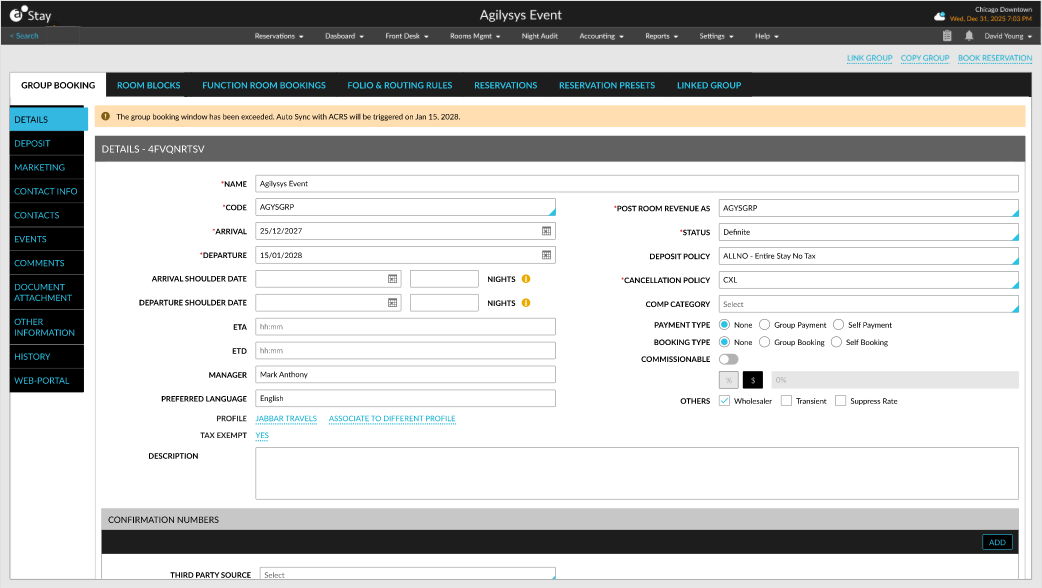
When the Group Outbound Settings is enabled for a property and the departure date of a group exceeds the timeframe window configured, the group details are not sent to ACRS, and the following message is displayed in the group: The group booking window had been exceeded. Auto Sync with ACRS will be triggered on MM DD, YYYY.
When groups are modified in Stay, details of the modified groups are sent from Stay to ACRS. When the group does not exist in ACRS, a new group is created in ACRS with the details received from Stay.