Display Fixed Header in Groups
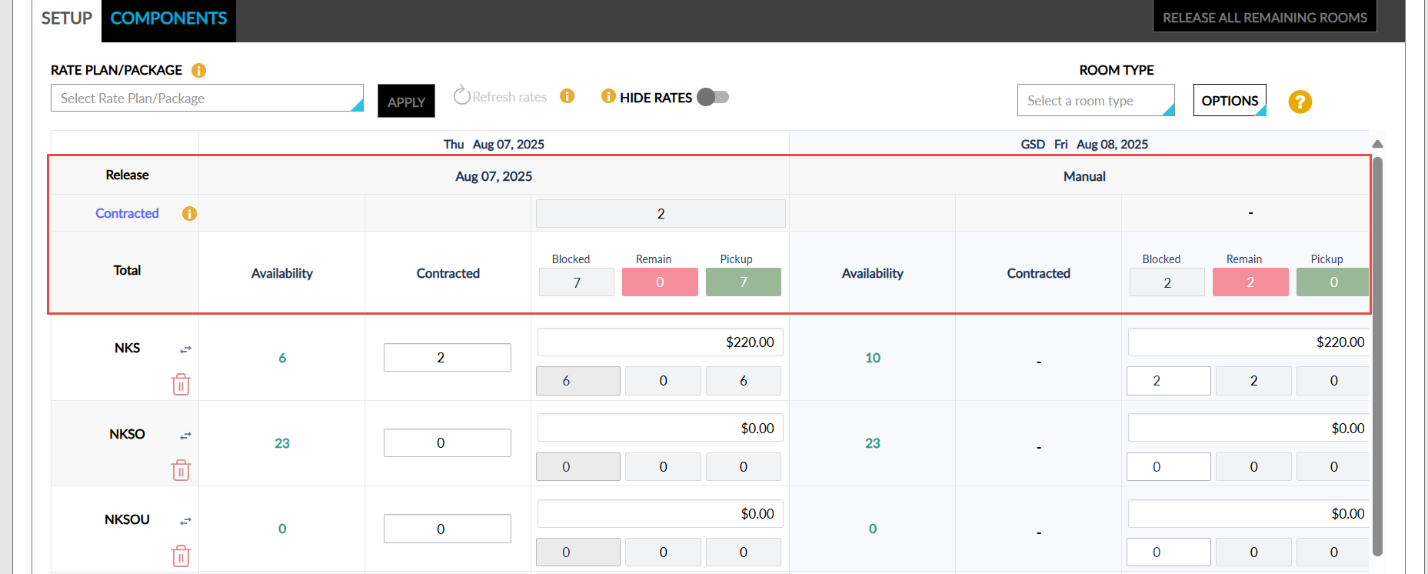
Stay is enhanced to display a fixed header in the Setup section in the Room Blocks tab of groups. This enhancement allows users to easily view room type details associated with the group when scrolling to the bottom of the screen, thereby ensuring smoother navigation and better visibility for groups with multiple room types.
Previously, the header in the Setup section was not fixed when users scrolled through the room blocks created.
The header displayed in the Setup tab of groups (Group ➜ Room Blocks ➜ Setup) that includes the following details has been fixed in place and will now remain visible even when users scroll down to view room block details:
-
Release
-
Contracted
-
Total