Display Group Code and ETA/ETD for Groups
Stay is enhanced to display the group code for the service requests created for group reservations and the estimated time of arrival and departure of the groups.
Group Code for Service Requests
The group code is displayed when the following service requests are created for the rooms assigned to the group reservations:
-
Housekeeping service requests created for group reservation rooms through housekeeping patterns on date roll.
-
Housekeeping service requests that are created manually for the group reservation rooms.
-
Guest service requests [HKG] that are created manually for the group reservation rooms.
-
Service Requests that are created automatically by the system for the group reservation rooms.
The group code for these requests is displayed in the following screens:
-
Housekeeping ➜ Assign ➜ Unassigned Service Requests ➜ Rooms ➜ Service Requests
-
Housekeeping ➜ Assign ➜ Unassigned Service Requests ➜ Guest Services ➜ Service Requests
-
Housekeeping ➜ Assign ➜ Assigned Service Requests ➜ Service Requests
-
Housekeeping ➜ Print ➜Housekeeping assignment sheet
-
Housekeeping ➜ Print ➜ Board view ➜ Service Requests
-
Housekeeping ➜ Home ➜ Assigned Services ➜ All tabs ➜Service Requests
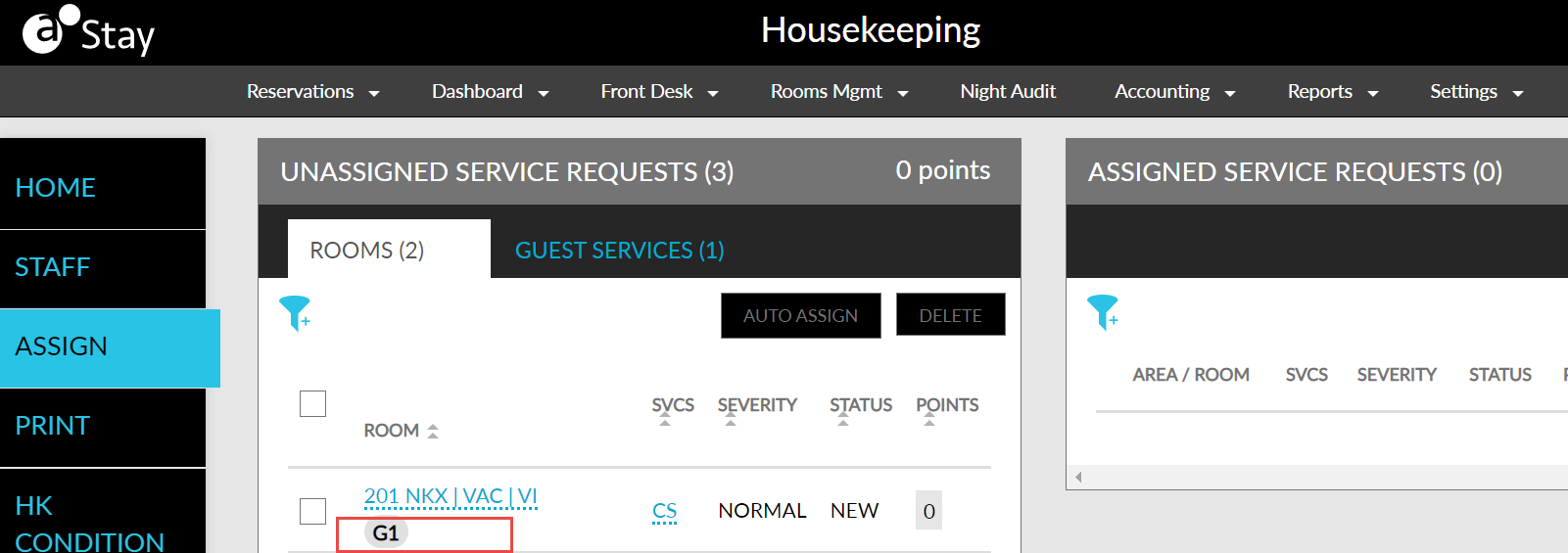
If the group code is more than 10 characters, the additional characters are truncated and the code suffixed by .. (2 dots). The entire code is displayed when users mouse over the code.
To support this feature, the following changes have been made:
-
A new section, Config, is added to the Housekeeping Setup screen. It contains the Groups tab that displays the Show Group Code for Service Requests flag. When enabled, the group code will be displayed for the service requests created for group reservations.
-
Two new permissions, Stay_ReadHKConfigGroupCodeforService, and Stay_WriteHKConfigGroupCodeforService are introduced to allow users to view and edit the Show Group Code for Service Requests flag in the Config section.
-
Stay_ReadHKConfigGroupCodeforService: allows users to view the Show Group Code for Service Requests flag.
-
Stay_WriteHKConfigGroupCodeforService: allows users view and modify the Show Group Code for Service Requests flag.
-
-
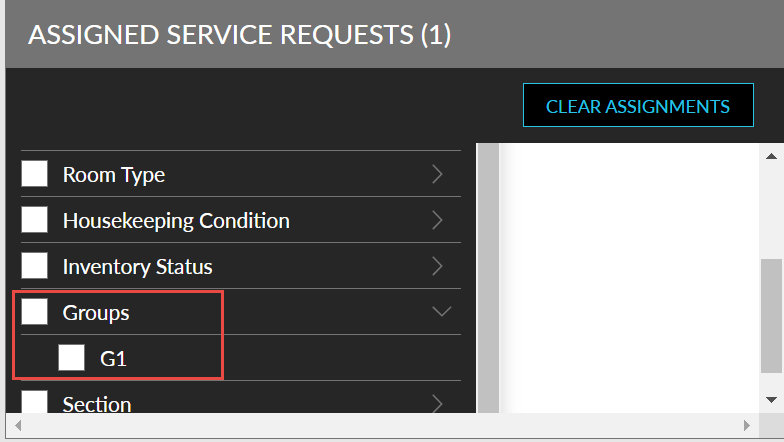
A Groups filter has been added to the following screens to allow users to filter service requests created for group reservations:
-
Housekeeping ➜ Assign ➜Unassigned Service Requests ➜Rooms
-
Housekeeping ➜Assign ➜Unassigned Service Requests ➜Guest Services
-
Housekeeping ➜Assign ➜Assigned Service Requests
-
Housekeeping ➜Home ➜Assigned Services
-
ETA and ETD for Groups
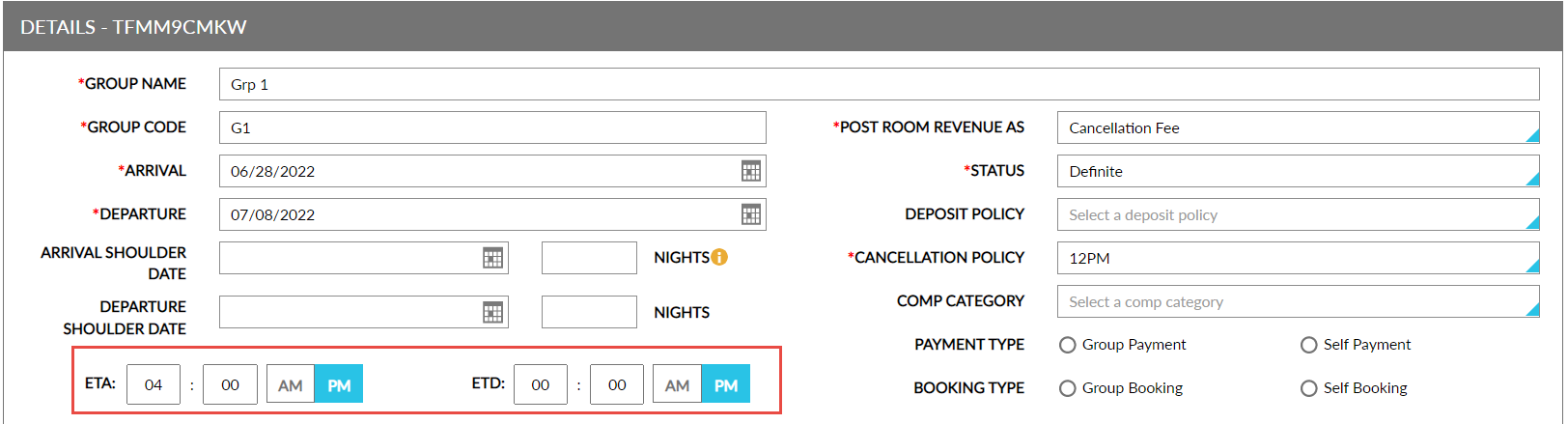
Users can also set the estimated time of arrival and departure for a group. Users can add and modify the ETA and ETD whenever the group is in Active status.
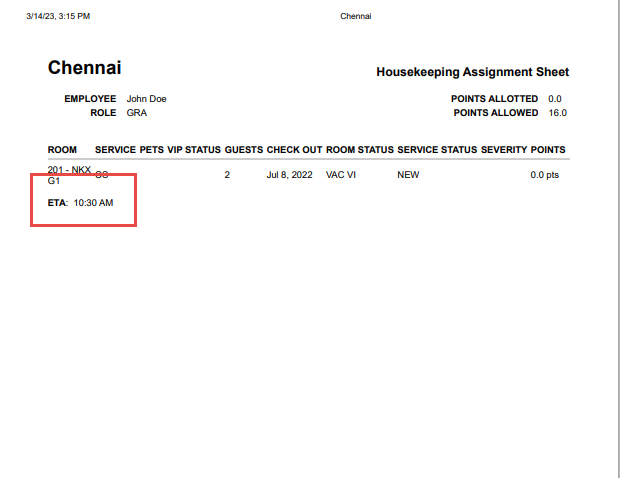
The ETA and ETD set for a group is displayed in the housekeeping staff assignment sheet under the ETA and ETD columns, based on the reservation’s arrival and departure date. They are displayed based on the following conditions and can be printed:
-
If a group reservation has a custom ETA or ETD set in the reservation, the value from the reservation will be shown in the assignment sheet for those rooms.
-
If a group reservation does not have an ETA or ETD, values set in the group will be shown in the assignment sheet for those rooms.
-
The fields are left empty if reservation level and group level ETA or ETD are not configured.
To support this feature, two new fields, ETA, and ETD, are added to the Details section of the Group Booking tab (Group ➜ Group Booking ➜ Details). These are optional fields that allows users to set the estimated time of arrival and departure for a group.