Display Notifications in Housekeeping Screen
Stay displays a notification in the Housekeeping screen for the following:
-
When a guest checks out from the property.
-
When a room assignment is modified from one on-duty housekeeping staff to another on-duty housekeeping staff.
-
When the housekeeping service requests assigned for a room are modified.
Property Setting
The Housekeeping notifications checkbox must be checked in the Notifications tab present in the Configurations section of the Housekeeping Setup screen (Rooms Mgmt ➜ Housekeeping ➜ Setup ➜ Configurations ➜ Notifications). When this checkbox is selected, a Notifications widget is displayed in the Housekeeping screen that displays notifications for the mentioned actions.
Permissions
The following permissions must be assigned to allow users to select/deselect the Housekeeping notifications checkbox:
-
Stay_ReadHKNotificationsSetup
-
Stay_WriteHKNotificationsSetup
The following enhancements have been made to the Notifications widget in the Housekeeping screen:
-
An entry is removed from the Check-Out card when any one of the following conditions is satisfied:
-
The housekeeping condition of the room that was checked out must be changed to a condition that is suitable for a reservation to be checked in.
-
When an Undo Check-Out is performed for a reservation.
-
When an Off the Market (OTM), Out of Order (OOO), and On Hold (HOLD) inventory block is created for the rooms that were checked out.
-
-
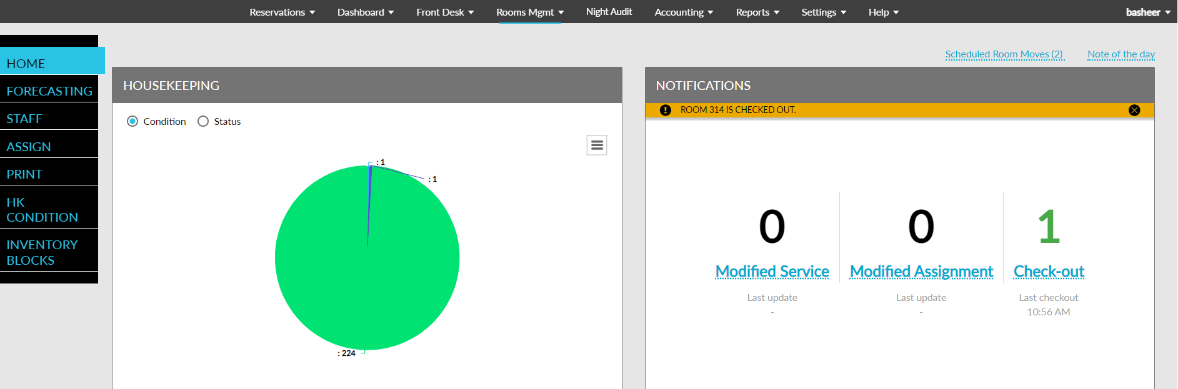
When a reservation is checked out, the count in the Check-Out card is increased by 1 and the card name and the count is displayed in green. The card continues to be displayed in green until the user clicks on the card and is navigated to the Checkout grid. When the user navigates back to the Housekeeping screen, the card name and the count will be displayed in black.
-
The card name and the count will be displayed in green even if the users are not actively using the Housekeeping screen when a reservation is checked out.
-
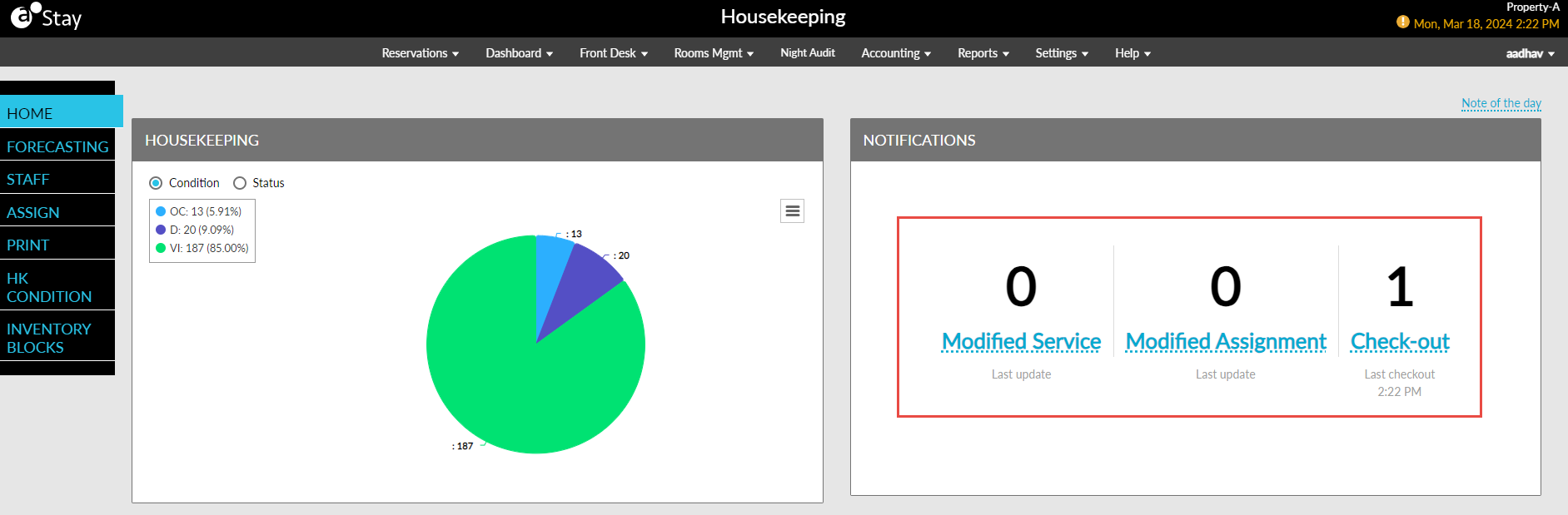
The names of the cards are displayed as a hyperlink to help users understand that when they click on the card name, they will be navigated to the corresponding grid in the Notifications screen.
-
The time when a reservation was last checked out, or when a housekeeping service or assignment was last modified is displayed below the card name in each card.