Display Pantry Items with Price Details in Folios
Stay is enhanced to allow users to view the price details for Pantry items posted to folios. This feature will be available only when the Pantry feature setting is enabled.
Contact Agilysys to enable the Pantry feature for the property.
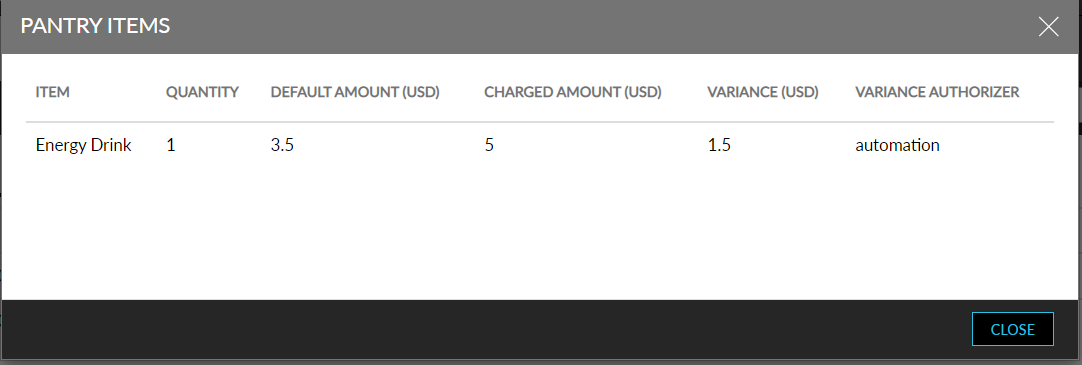
A new icon, Pantry Items List, is added next to the pantry item posted to a folio. When clicked, a new screen, Pantry Items, is displayed with the following fields:
-
Item - displays the name of the pantry item
-
Quantity - displays the quantity of the pantry item posted
-
Default Amount - displays the default amount of the pantry item posted to the folio
-
Charged Amount - displays the actual amount paid by the guest
-
Variance - displays the difference amount between the charged amount and the default amount.
-
Variance Authorizer - if the pantry item’s price is overridden, the username of the person who performed the authorization will be displayed. If the item’s price is not overridden, the field is left blank.
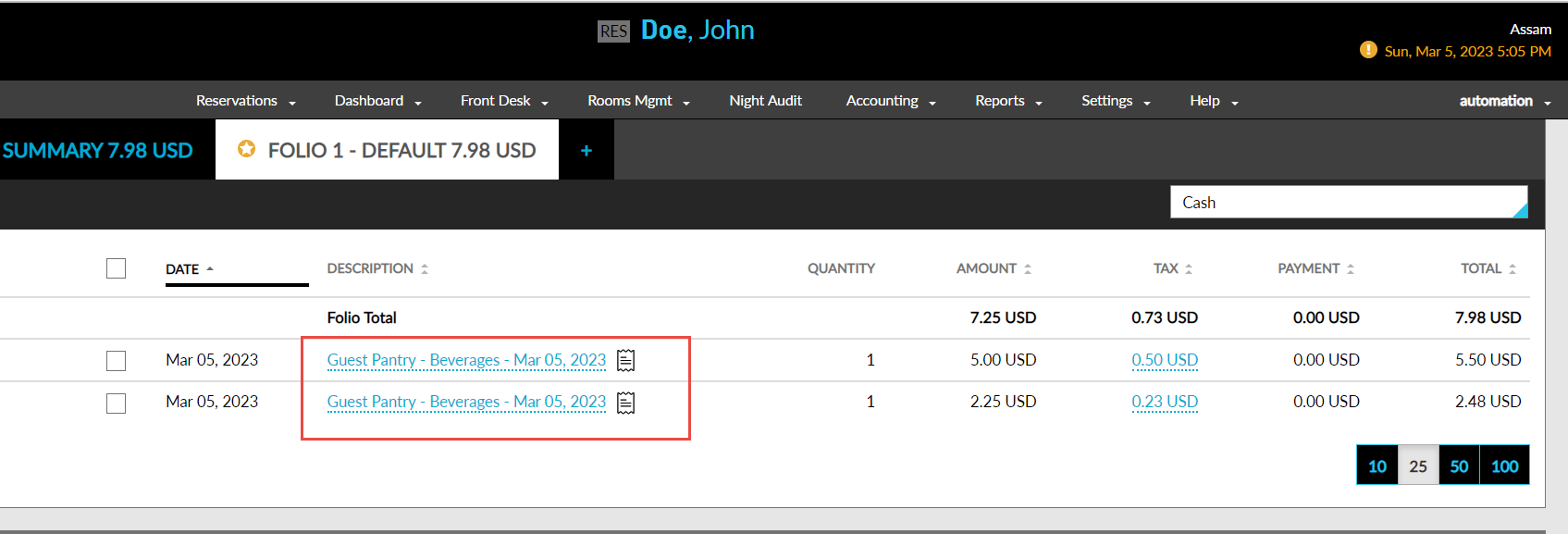
This icon is displayed wherever a pantry item can be posted in Stay, these include:
-
Reservation
-
Group
-
AR account
-
House account
If the same pantry item is added again with a different price, each item will be captured as a separate record, and the Pantry Items List icon will be displayed next to it.
When the transaction item that contains the pantry item is transferred to another account or folio, the pantry items list icon will be displayed for the item in the destination account.