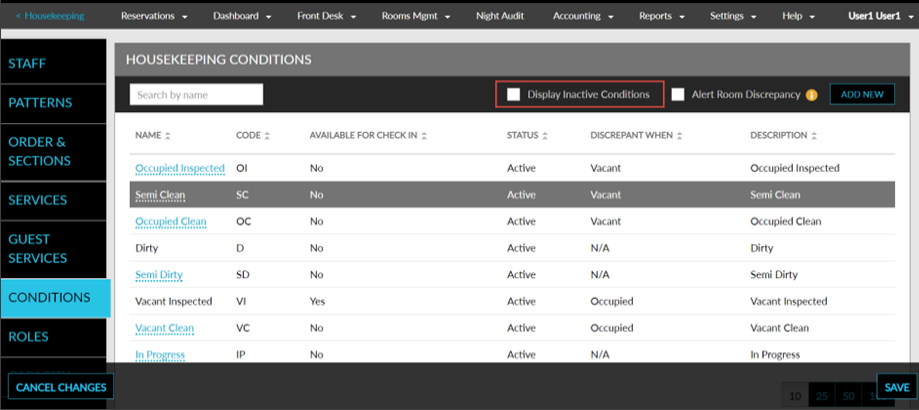
Enhancements in Housekeeping Conditions
Stay is enhanced to allow users to edit and or deactivate Housekeeping Conditions that are not in use at the property.
To support this, a new checkbox, Active, has been added to the following screens:
-
Add Condition pop-up screen (Rooms Mgmt ➜ Housekeeping ➜ Setup ➜ Conditions ➜ Add New).
-
Edit Condition pop-up screen (Rooms Mgmt ➜ Housekeeping ➜ Setup ➜ Conditions ➜ Housekeeping Condition Hyperlink).
Users can activate or deactivate the housekeeping condition by enabling or disabling the Active checkbox. The following predefined housekeeping conditions can only be deactivated or activated:
-
In Progress
-
Occupied Inspected
-
Vacant Clean
The housekeeping conditions cannot be deactivated under the following conditions:
-
If the condition is associated with at least one room assigned to a reservation.
-
If it is used for housekeeping services.
-
The housekeeping condition is Dirty.
-
If it is the only condition applicable for check-in.
Users can also view the inactive housekeeping conditions by enabling the Display Inactive Conditions checkbox.