Enhancements to Overbooking Reservations
Stay is enhanced to allow users without the overbooking permissions assigned to modify reservations by overbooking a room type using the credentials of a different authorized user.
Previously, users without the overbooking permissions assigned could not perform overbooking.
When modifying reservations, users can override and book a room type by clicking on the Override option in the Modify Stay screen. For example, a user may have booked a reservation when rooms were adequately available for a room type and when modifying the room type, the availability of the room type could be 0 or less than 0.
When the Override option is clicked by a user with the overbooking permissions assigned, the room type is overbooked successfully. For users without the permissions assigned, the Overbook pop-up screen appears that displays the Username and Password fields where users can enter the credentials of a different authorized user. The credentials entered in these fields are authorized and the room type is overbooked upon successful completion of authorization.
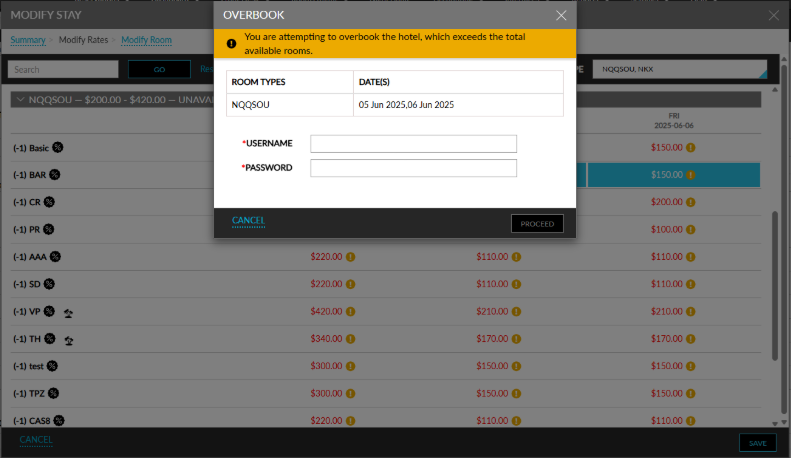
A record is created in the Reservation History section and the Audit Log screen (Reports ➜ Audit Log) and Overbooking Event report (Dynamic) when reservations are modified and when a room type is overbooked.
A record is also created when an overbooking is performed through any of the following interfaces:
-
Travelclick
-
Synxis
-
SiteMinder
-
Agilysys Book
-
OpenAPI
-
OpenAPIV2