Enhancements to Revenue by Room Type Report (Dynamic)
The following new field and columns have been added to the Revenue by Room Type Report (Dynamic):
|
Field |
Description |
|---|---|
|
Include Room Type with No Activity checkbox |
This checkbox is added as a report generation parameter.
|
|
Rooms Available |
|
|
Rooms Vacant |
|
|
Out of Order |
|
|
Off the Market |
|
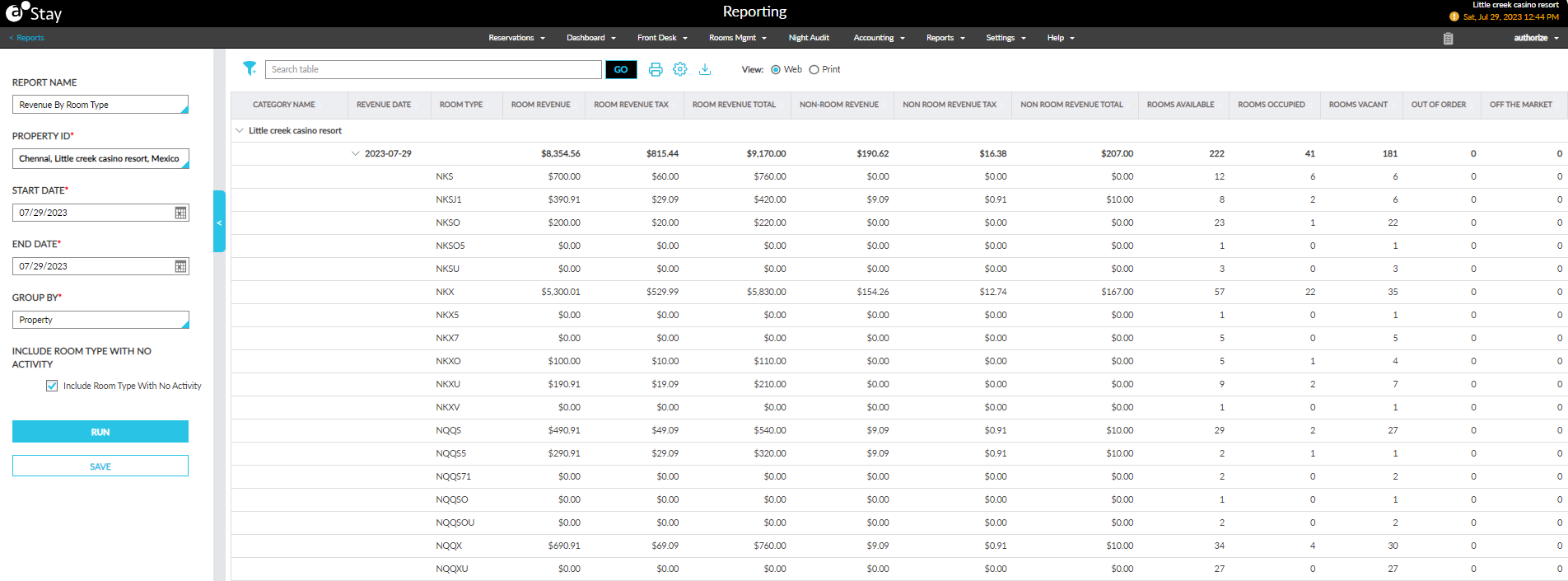
The records are displayed based on the following Group By options selected:
-
Property: The records are displayed grouped by the property in which the room types are located. The Category Name column displays the property name.
-
Market Segment: The records are displayed grouped by the market segments to which the reservation from a room type is mapped. If the reservations are not mapped to any market segment, they are displayed with the Category Name as Unassigned.
-
Guest Type: The records are displayed grouped by the guest types to which the reservation from a room type is mapped. If the reservations are not mapped to any guest type, they are displayed with the Category Name as Unassigned.