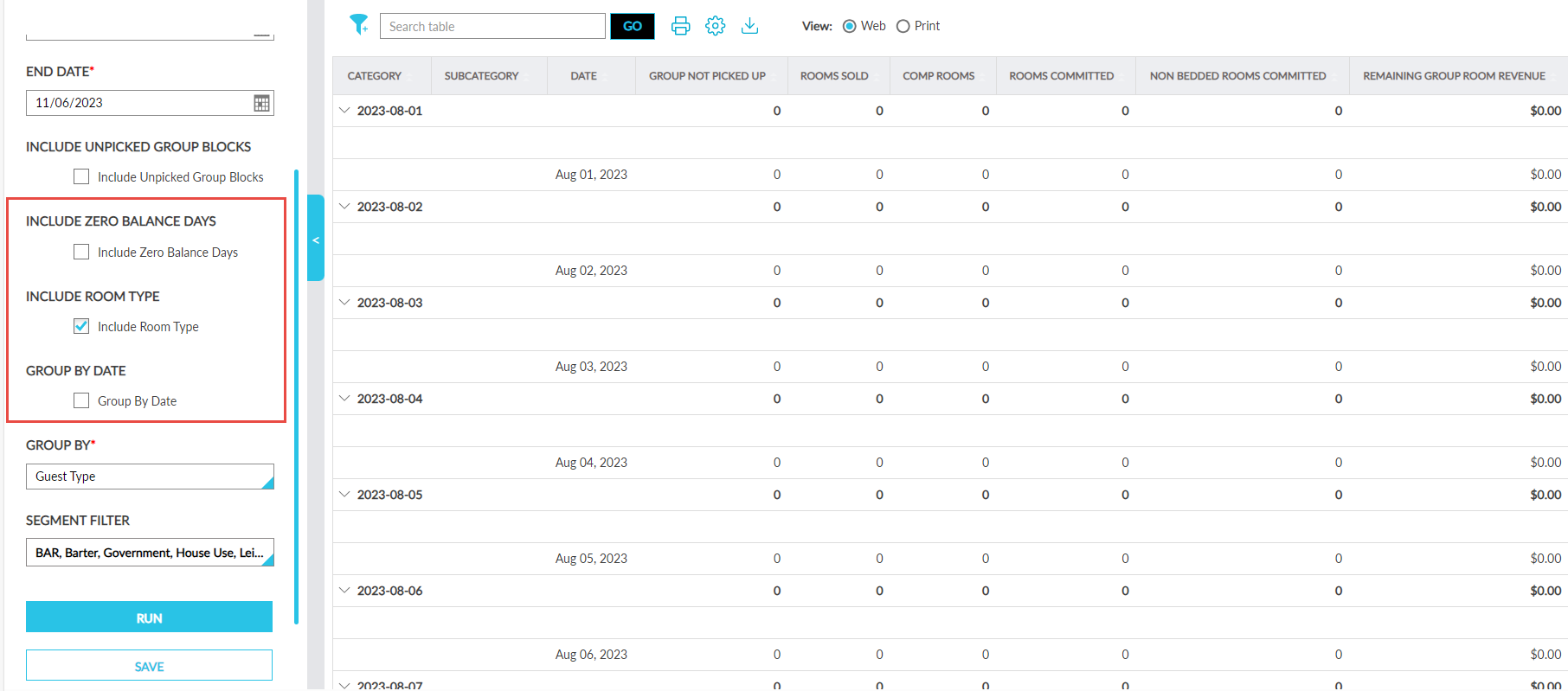
Enhancements to Revenue by Market Segment with Groups Report (Dynamic)
The following enhancements have been made to the Revenue by Market Segment with Groups Report (Dynamic):
-
A new checkbox, Group By Date, has been added as a report generation parameter.
-
This checkbox is unselected by default.
-
When selected, the records are grouped and displayed in the ascending order of dates.
-
A new row, Day Total, is added at the end of every date segment/group that displays the total of every column for the respective date segment/group.
-
When the Group By Date checkbox is selected, the records are first grouped by dates followed by the option selected in the Group By field, that is, secondary grouping within every date for either the guest type or market segment is performed as selected by the user.
-
When this checkbox is not selected, the records are grouped based on the option selected in the Group By field.
-
-
A new checkbox, Include Zero Balance Days, has been added as a report generation parameter.
-
It is unchecked by default.
-
When selected, the generated report includes the dates for which the columns have the value, 0.
-
-
A new checkbox, Include Room Type, has been added as a report generation parameter.
-
It is selected by default.
-
When disabled, the generated report displays data under each Group By option selected without further bifurcating the data into various room types/categories.
-