Labels to Distinguish Between Room Moves
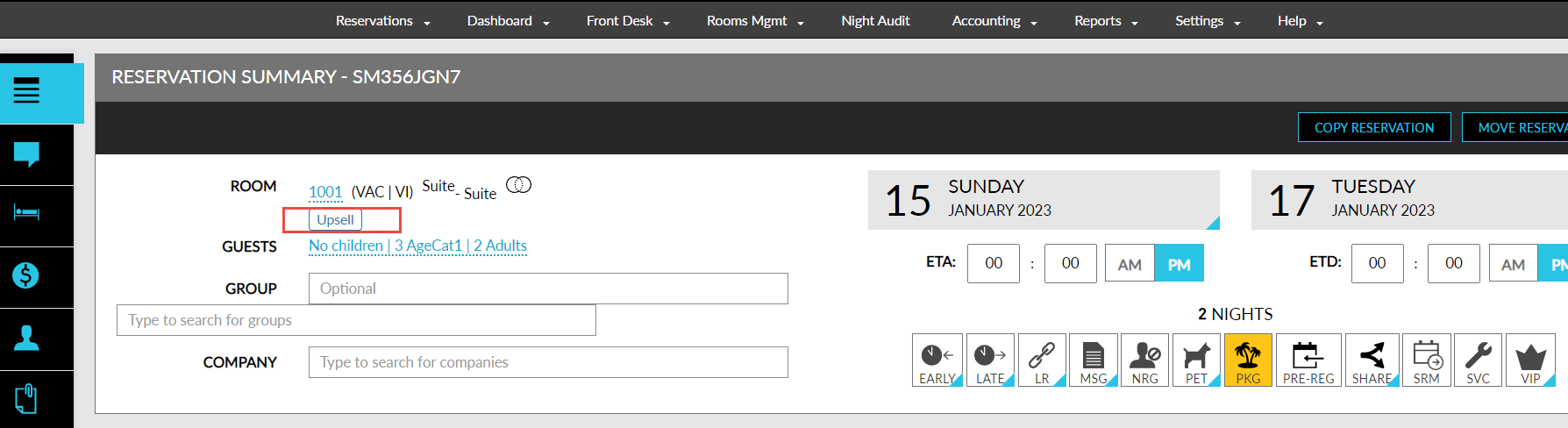
Stay is enhanced to display the Modified, Upsell, or Upgrade label in reservations when room moves are performed within the same room type or different room types.
Previously, when a room move was performed, a Modified indicator was displayed in the Reservation Summary section as a hyperlink, clicking on which displayed the rate plan and room rate details of the room move.
Feature Setting
-
Name: Room Move Reasons Based on Category
-
Value: Must be Enabled
-
Comments: License is not required
As part of this enhancement, when the Room Move Reasons Based on Category setting is enabled, one of the indicators (Modified, Upsell, or Upgrade) will be displayed based on the following conditions:
|
|
|---|---|
|
|
|
|
|
|
|
|
|
|
|
|
Sample Scenario
-
On the first day of stay, if a room type is changed to a room type class of higher rank and user chooses Upsell reason, Upsell indicator is displayed.
-
On the second day of stay, if the room type is changed to another room within the same room type, Modified indicator is displayed.
-
For scheduled room moves, Modified/Upsell/Upgrade indicator is displayed based on the default scheduled room move reason configured.
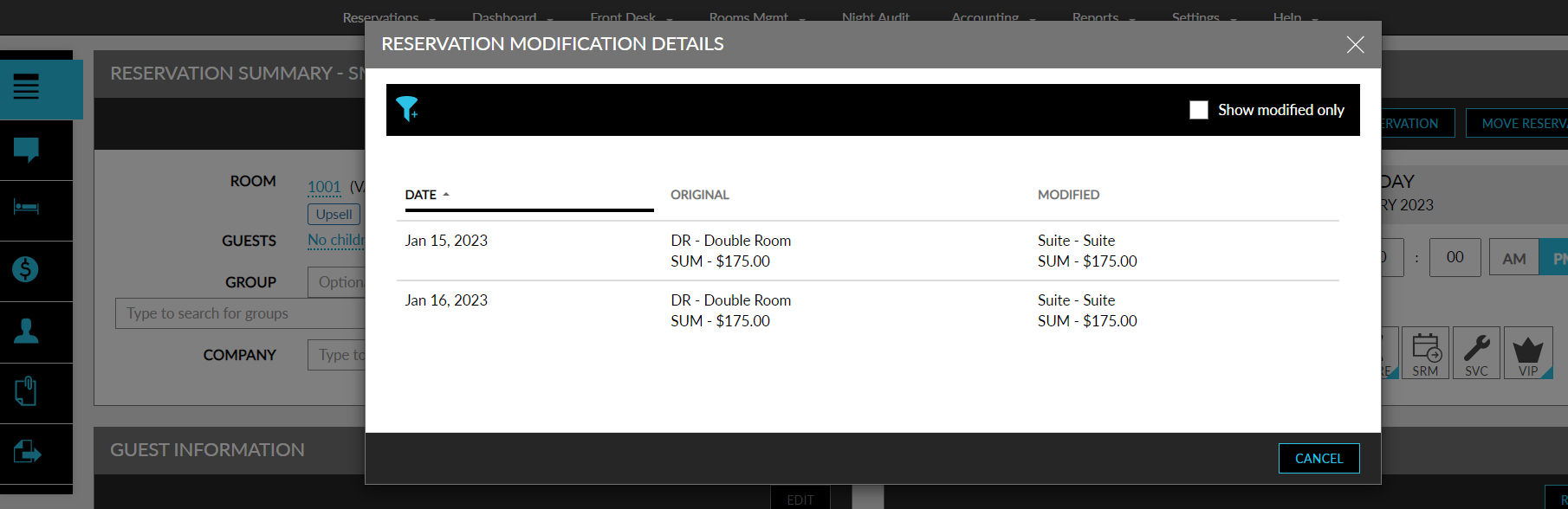
The details that are displayed in the indicator hyperlink remain the same. When the Room Move Reasons Based on Category setting is disabled, only the Modified indicator will be displayed.