Release 12.2
Option to Add Multiple Routing Rules to a Rate Plan
Stay is enhanced to allow users to associate multiple routing rules to a rate plan. Earlier, users could associate only a single routing rule to a rate plan.
Feature Setting
-
Name: Enhanced Routing Rule
-
Value: Enabled
-
Comments: License is not required.
Users can select the routing rules to be associated with the rate plans and define the priority in which the routing rules should be executed in the reservations. Users can associate any number of routing rules to a rate plan. For the reservations created from the rate plans with multiple routing rules, the associated routing rules will be displayed in the Individual Rules section in the Summary tab of the Reservation screen.
The routing rules will be executed in the ascending order of the priority assigned in the rate plan, that is, when two routing rules are associated to a rate plan, the routing rule with priority 2 will be executed after the routing rule with priority 1.
For example, two routing rules are associated to a rate plan, rule A with priority 1 is configured to route nightly room charge and rule B with priority 2 is configured to route cancellation fee. When nightly room charge is posted to the folio, rule A will be executed first since it has the highest priority. Since the posted charge matches the charges configured to be routed in rule A, the charge will be routed to the destination and rule B will not be executed.
If the posted charge does not satisfy the rule with the highest priority, the rule with the second highest priority will be executed next.
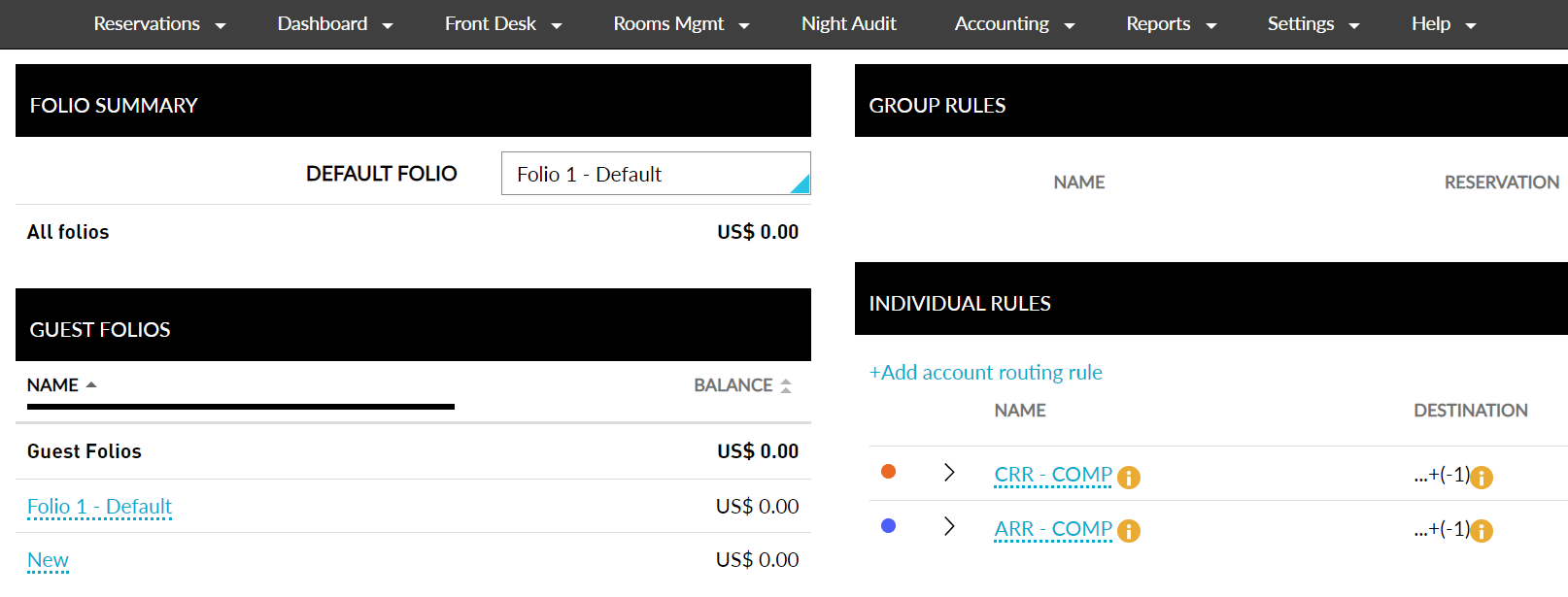
Only active routing rules can be associated with the rate plans. The routing rules will stop functioning when the validity ends.
This feature is also applicable when Stay is integrated with the following systems:
-
Agilysys Book
-
SiteMinder
-
TravelClick iHotelier
-
Sabre SynXis
-
OpenAPI
-
Pegasus CRS
-
Windsurfer CRS
To support this feature, a new section, Routing Rules is added to the rate plan screen (Settings ➜ Rates ➜ Rate Plans). This section displays the following fields:
-
Priority - users can define the priority of execution for the routing rule
-
Routing Rule - drop-down list from which users can select a routing rule
-
Authorizer - drop-down list from which users can select an authorizer for the routing rule
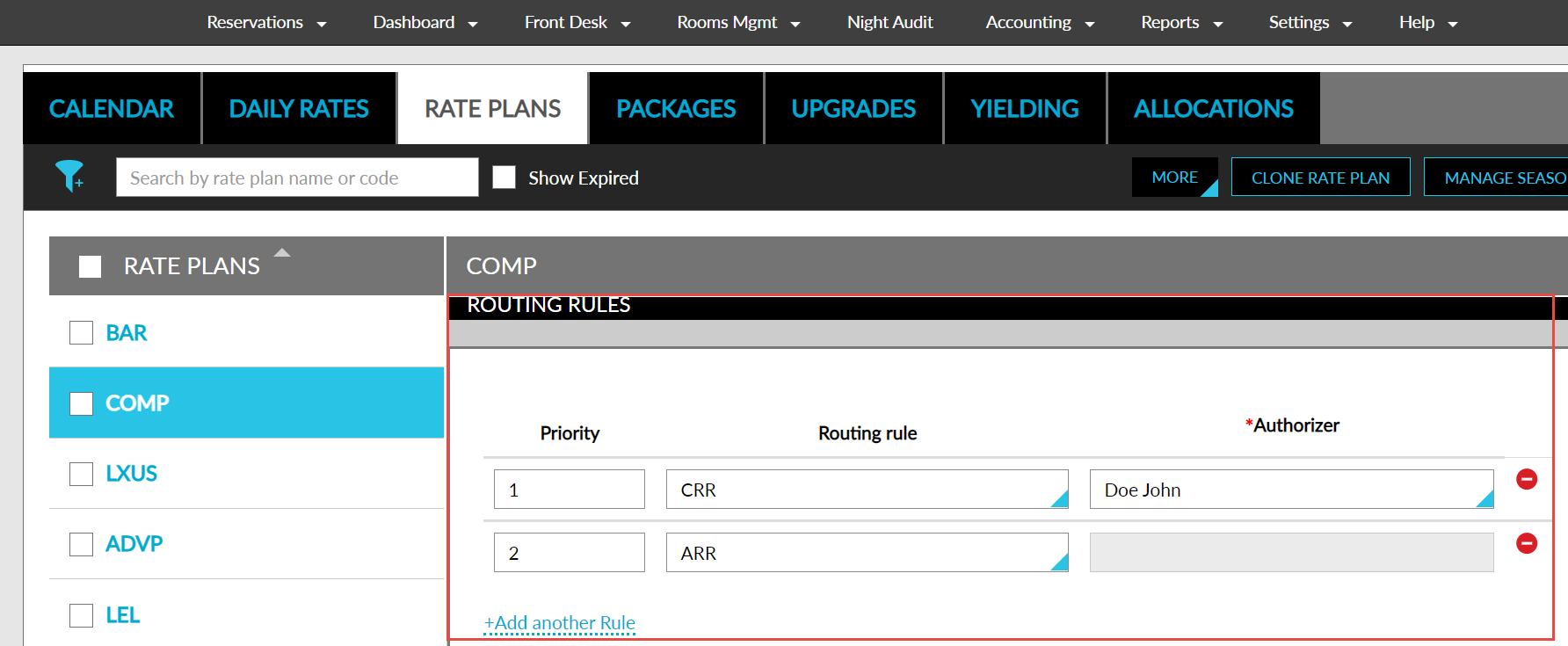
When a comp routing rule is selected, the authorizer that was selected when creating the rule will be automatically displayed in the Authorizer field. Users can change the selected authorizer if multiple authorizers exist for the routing rule. When a routing rule without an authorizer is selected, the Authorizer field will be greyed out.
Users can click on the Add another Rule option to add the next rule.
For existing rate plans with a single routing rule associated, the priority will be automatically set as 1. Reservations created for groups with multiple routing rules attached will follow the existing workflow.