Schedule Service Time Based on Guest Request
Stay is enhanced to allow users to schedule the time for a Maintenance request and Housekeeping Guest Service request to be performed.
To support this enhancement, the following changes have been made:
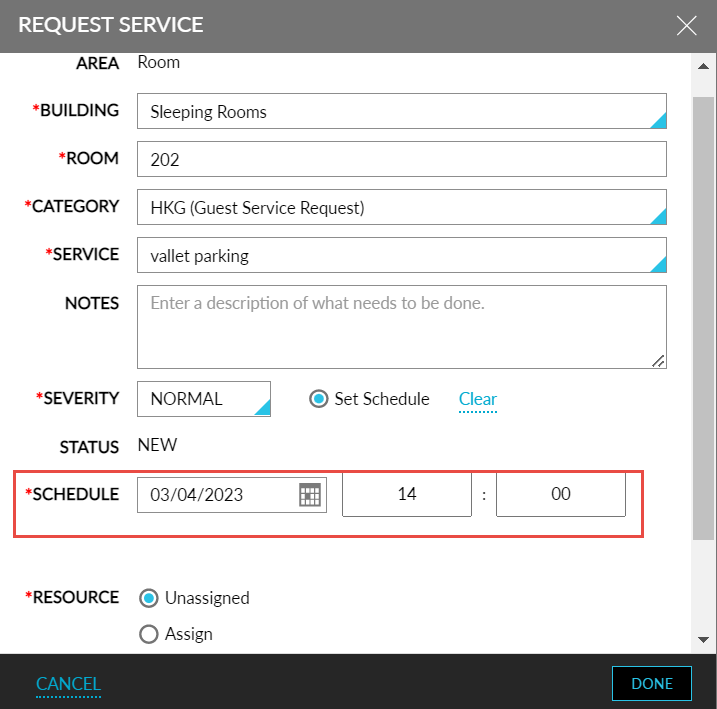
The Scheduled Date field in the Request Service screen is renamed to Schedule. Users can configure the time at which the service must be performed.
-
A new column, Scheduled, is added, and the existing column, Time, is renamed to Time Created in the following screens:
-
Reservation Summary ➜ SVC badge ➜ Service requests
-
General maintenance request grid ➜ Details ➜ General Area MT Service Requests
-
Room maintenance request grid ➜ Details ➜ Room MT Service Requests
-
Unassigned service requests & assigned service requests grid
-
Room activity log
-
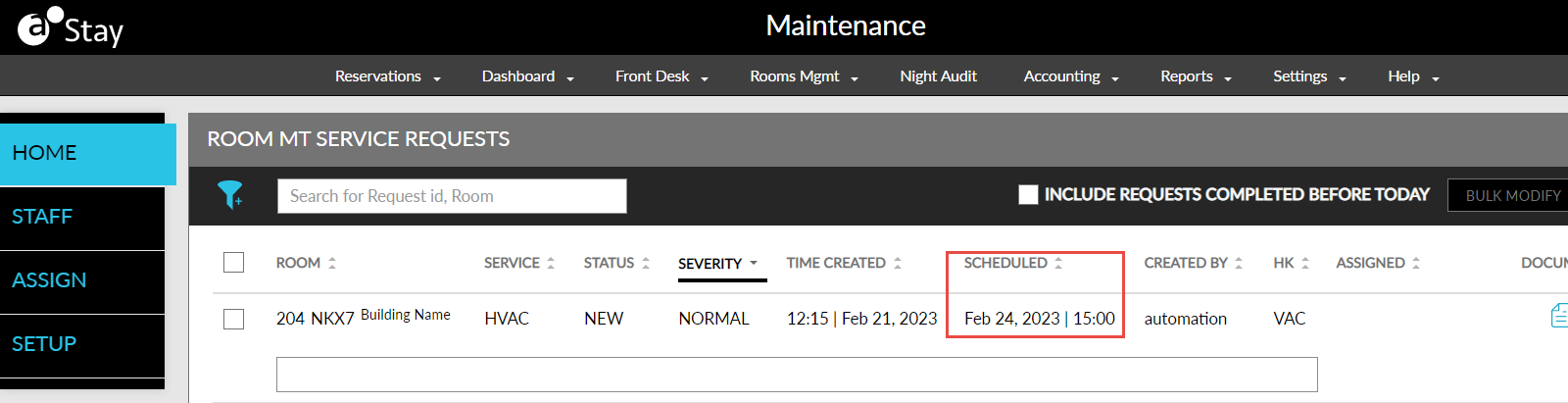
The scheduled date and time is also displayed in the following legacy reports under the Schedule column:
-
Maintenance Service Request Report
-
Service Request Report
If the created requests have a scheduled date but no time, only the date will be displayed. If the requests do not have either a scheduled date or time, no value will be displayed for that request under the schedule column.
