Apply Data Retention Policies Based on the Guest’s Country of Residence
Stay is enhanced to apply the Guest Data Retention Policy for a guest profile based on the guest’s country of residence. Earlier, the Data Retention Policy was applied based on the guest type associated with the guest profile. Now, the Data Retention Policy is applied based on the guest’s country specified in the primary address, or guest type, or both.
The Data Retention Policy is applied based on the following conditions:
-
If there is a matching policy for the guest’s country of residence and there is no guest type associated with the guest profile, the policy is applied based on the country.
-
If there is no matching policy for the guest’s country of residence, the policy is applied based on the guest type associated with the guest profile.
-
If there is a matching policy for both the guest’s country of residence and the guest type associated with the guest profile, the short retention period between the policies for the fields to be anonymized is considered.
-
If both Data Retention Policy and Consent Policy exists for a guest, the longest retention period between the policies for the fields to be anonymized is considered.
-
If changes are made to a guest’s country of residence when common guest profile is enabled, the fields are anonymized based on the new policy associated with the updated country.
When multiple address details are configured for a guest profile, only the country mentioned in the primary address of the guest is considered. When the user tries to change or modify the guest's country (in the primary address) or changes the primary address in the Profile screen and Reservation Summary screen, and if it changes the policy applied which includes addition, removal or change in policy, the following message is displayed: Change of country might will impact the data retention policy.
To support this feature, the following changes have been made:
-
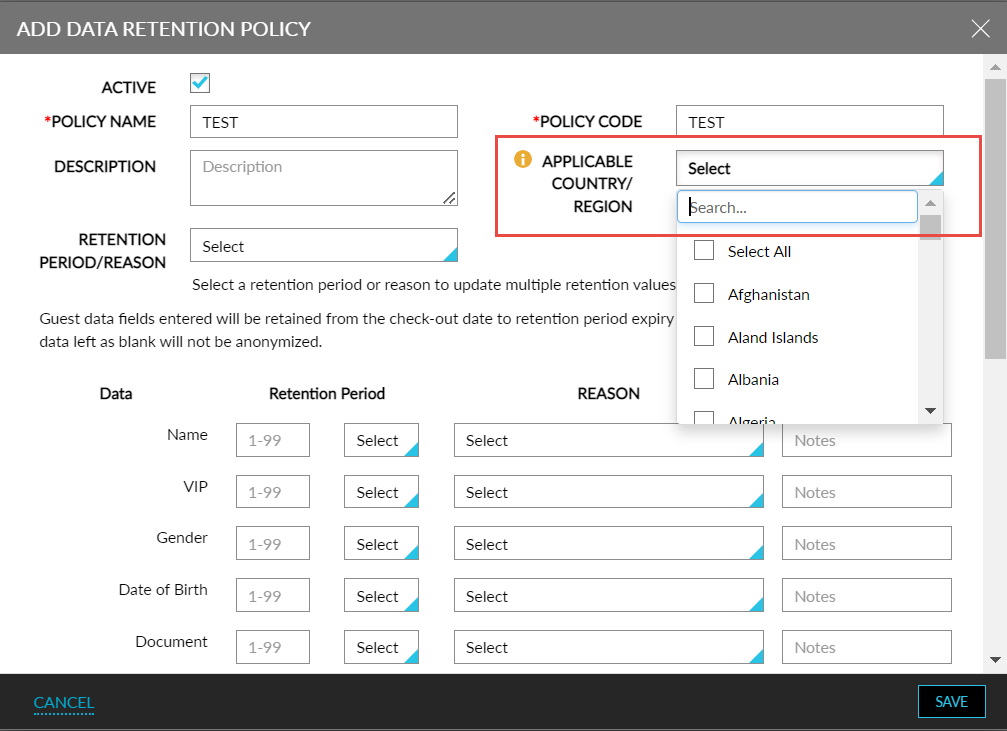
A new drop-down list, Applicable Country/Region, is added to the Add Data Retention Policy screen (Settings ➜ All Settings ➜ Data Retention Management ➜ Retention Policy ➜ Guest Retention Policy ➜ Add). This is an optional field that allows users to select the countries that the policies must be applicable for.
-
The selected countries can be associated with any number of policies. When multiple policies exist for a country, the longest retention period between the policies is considered.
-
Whenever the selected country in the existing policies is removed or modified, the policy applied for the guest profile should be updated accordingly.
The applicable country/region setup must be done at Customer level and not at the property level.
-
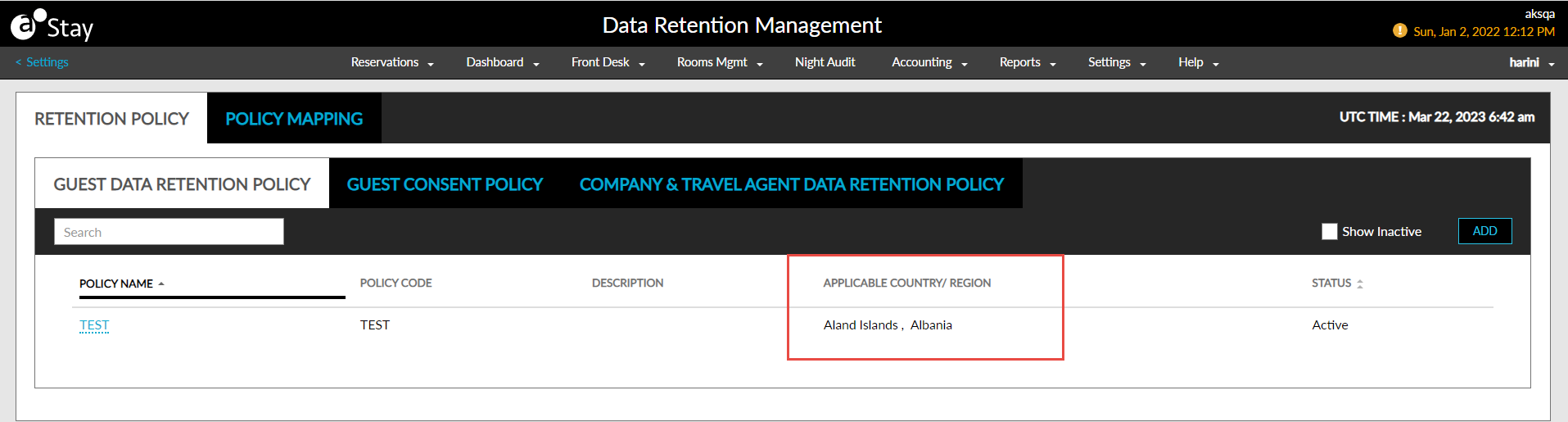
A new column, Applicable Country/Region, is added to the Guest Data Retention Policy dashboard to display the countries selected in the policies.