Batch Printing of Coupons and Enhanced Coupons
Stay is enhanced to support batch printing of both printable coupons and enhanced e-coupons from the selected reservations.
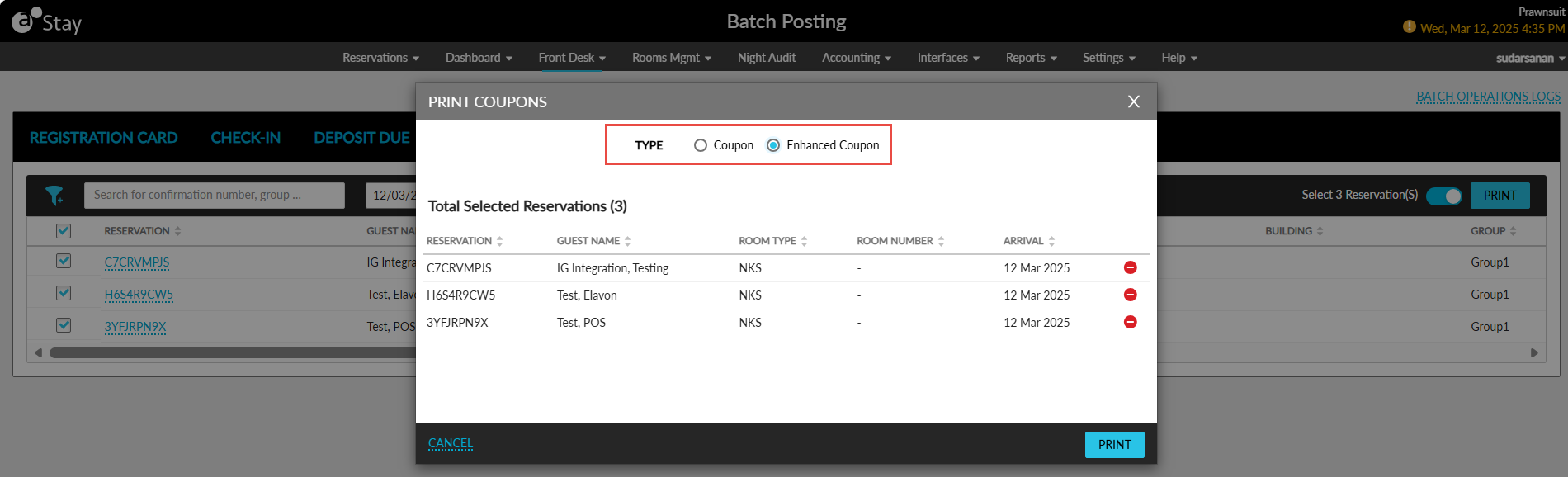
To support this enhancement, a new field, Type, has been added to the Print Coupons pop-up screen (Front Desk ➜ Batch Operations ➜ Coupons ➜ Print). The following options are displayed in this field:
-
Coupon
-
Enhanced Coupon
These options are displayed only when the Enhanced Coupon feature setting is enabled.
Coupon
-
Users can print standard printable coupons using existing functionality.
-
A Printable Only coupon can be selected from the drop-down list.
-
If no printable coupons are available, the is drop-down list is disabled and the message, No coupon(s) are available, is displayed.
Enhanced Coupon
When the Enhanced Coupon option is selected, users can batch print all available e-coupons from the selected reservations. All e-coupons in the Available status are retrieved for the selected reservations and printed based on the e-coupon’s validity:
-
Per Day Coupon: Printed for all available dates within the reservation.
-
Per Stay Coupon: Printed for the coupon’s valid duration within the reservation.
The Enhanced Coupon option will be disabled/greyed out when no e-coupons are available for a property, and the following message will be displayed: No e-coupon(s) are available.