Custom Allowance Frequency Options
Stay is enhanced to allow users to configure custom allowance frequency type, providing greater flexibility in defining when allowances are applied during a guest's stay.
The following new options have been added when users select the frequency type as Custom:
-
Every (n) Nights
-
On This Night
-
Days of Week
Allowance Day and Night Calculation
For custom allowance frequencies, the Day of Arrival and Day of Departure are considered calendar days, while allowance nights are calculated separately. The First Night is the night following the arrival day, and the Last Night is the night preceding the departure day.
For example, for a 10-night reservation from January 1, 2026 through January 11, 2026:
-
January 1 is the Day of Arrival.
-
January 2 is the First Night.
-
January 10 is the Last Night.
-
January 11 is the Day of Departure.
The Include Day of Arrival and Include Day of Departure options determine whether an allowance is also applied on the arrival and departure calendar days, respectively, based on the configured allowance frequency. These calendar days are separate from the nights used when calculating the selected custom frequency.
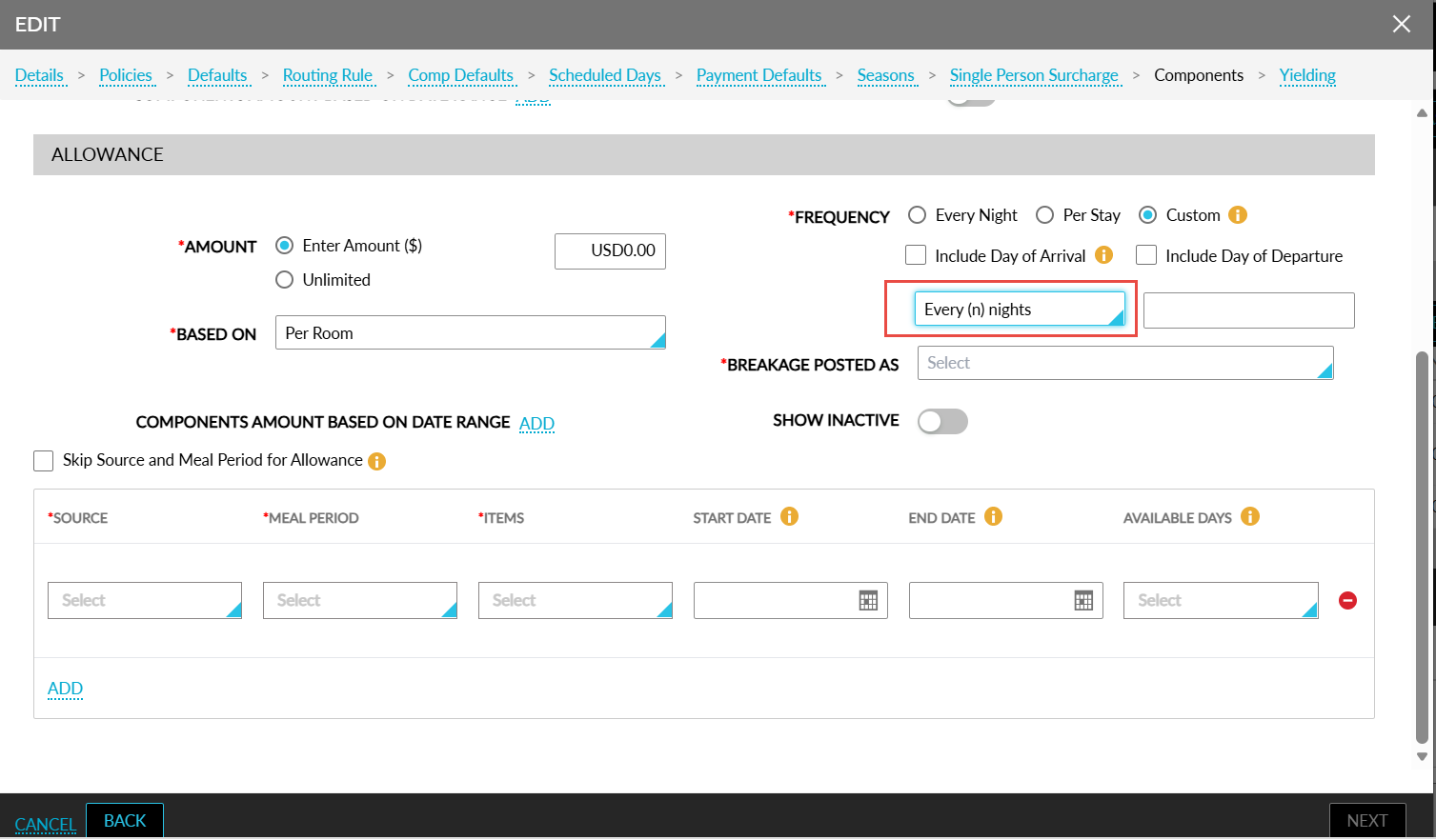
Every (n) Nights
When this option is selected, users can specify a numeric value n (for example, every 2 nights or every 5 nights). The input field accepts only numeric values. Non-numeric characters, including letters, symbols, and spaces, are blocked or removed immediately upon entry. The value cannot be empty. Users must enter a value greater than or equal to 1. The allowance amount will be applied on every nth night of stay.
For example, when n is configured as 3 and the stay is 10 nights, the allowance is applied on the 3rd, 6th, and 9th nights.
On This Night
When this option is selected, a multi-select drop-down list will be displayed with the following options:
-
Select All
-
Day of Arrival
-
First Night
-
2nd
-
3rd
-
4th
-
5th
-
6th
-
7th
-
Last Night
-
Day of Departure
Day of Arrival and Day of Departure represent the respective calendar days and are not counted as the First Night or Last Night.
A new Repeat Pattern checkbox is also available with the following information message: The selection will recur every 7 nights. For example, if the First Night is designated for repetition, the corresponding allowance will be issued on the 8th night of the stay, excluding the arrival and departure dates. This checkbox will be displayed only when the On This Night option is selected.
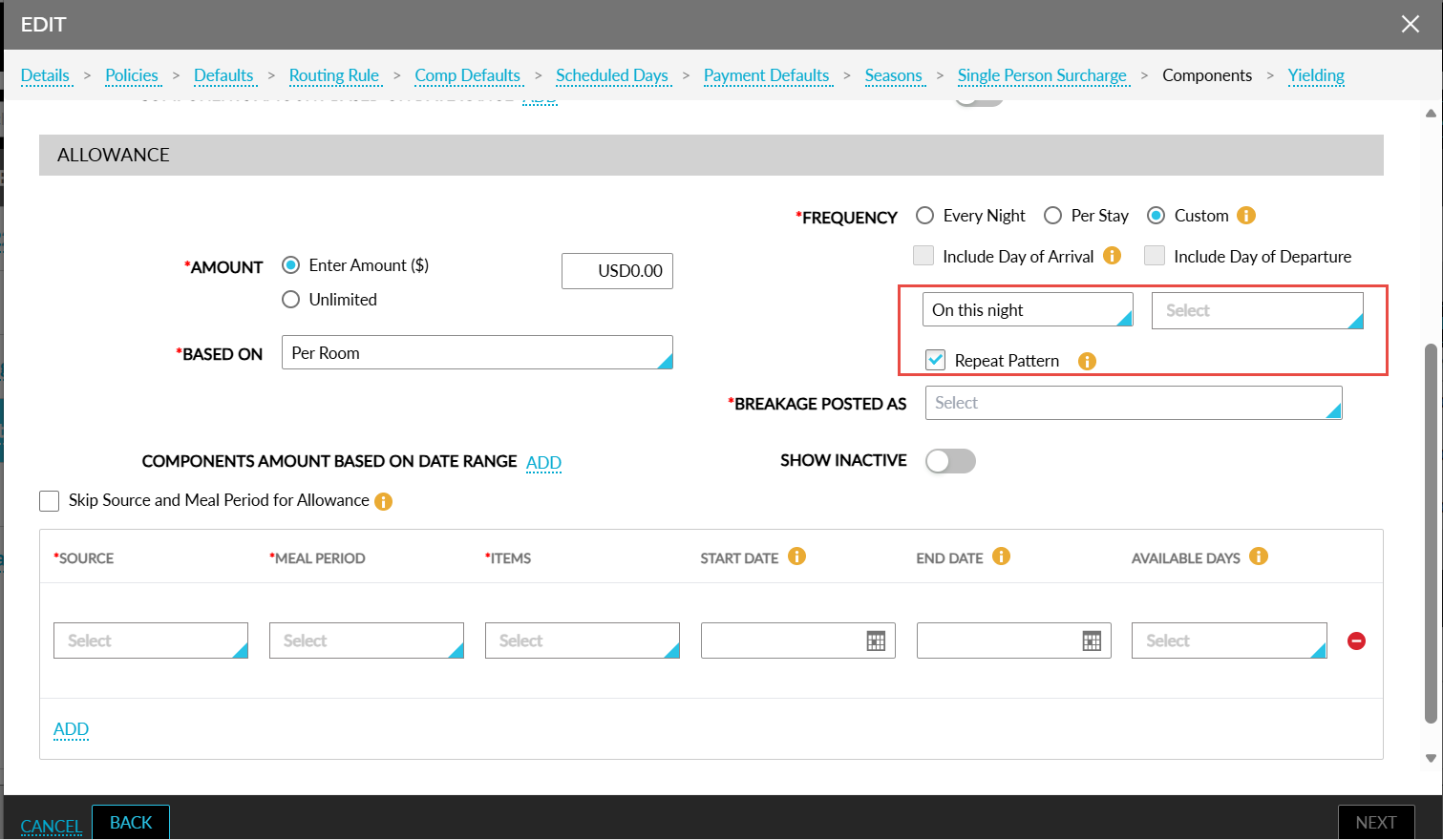
When the Repeat Pattern checkbox is enabled, the allowance amount is applied on the originally selected night(s) and continues the same pattern every seven nights throughout the stay.
Examples:
-
When First Night is selected and the guest stays for 16 nights, the allowance applies on the 1st night and 8th night.
-
When 2nd Night is selected, the allowance applies on the 2nd night and 9th night.
-
When 3rd and 6th Nights are selected, the allowance applies on the 3rd, 6th, 10th, and 13th nights, provided they fall within the stay duration.
The Repeat Pattern option is not applicable and remains disabled when any of the following options are selected:
-
Day of Arrival
-
Last Night
-
Day of Departure
When On This Night is selected and the user chooses Day of Arrival, Last Night, and Day of Departure, when the Repeat Pattern checkbox is already selected, it is automatically cleared and disabled.
When the user selects First Night or 2nd Night together with Day of Arrival, Last Night, and Day of Departure, the Repeat Pattern checkbox remains enabled and available for selection.
This restriction applies only when On This Night is selected in combination with Day of Arrival, Last Night, and Day of Departure.
Days of Week
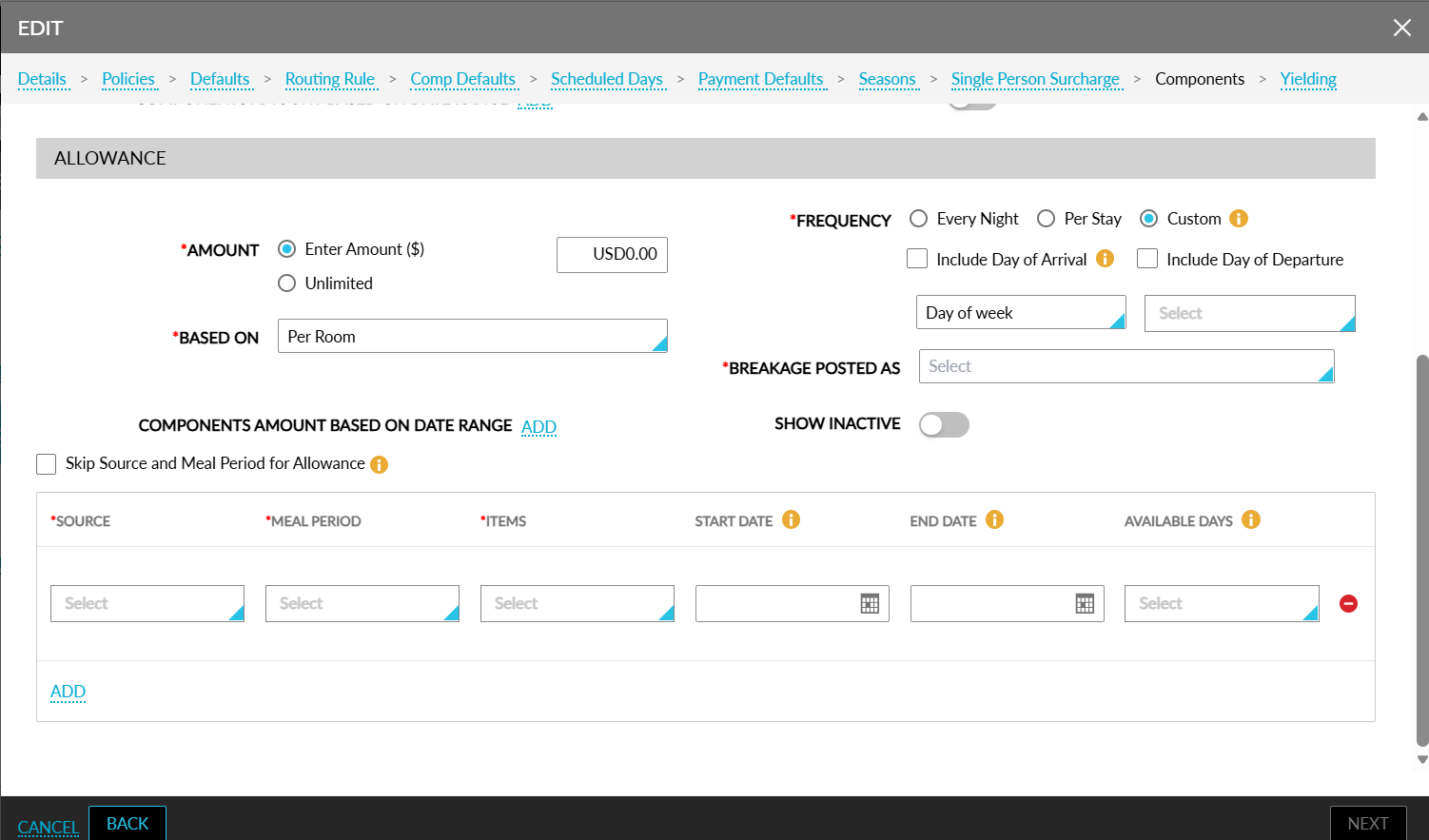
When this option is selected, a multi-select drop-down list is displayed with the following options:
-
Select All
-
Sunday
-
Monday
-
Tuesday
-
Wednesday
-
Thursday
-
Friday
-
Saturday
The allowance amount is applied for the selected days.
Mapping of Existing Custom Frequency Configurations
To preserve existing configurations, current Custom Frequency values are associated with the newly introduced options as follows:
|
Existing Configuration |
New Configuration |
|---|---|
|
First Night |
On This Night - Day of Arrival |
|
Second Night |
On This Night - First Night with Repeat Pattern disabled |
|
Last Night |
On This Night - Last Night with Repeat Pattern disabled |
|
Departure Day |
On This Night - Day of Departure |
|
Select All |
On This Night - Day of Arrival, On This Night - First Night with Repeat Pattern disabled, On This Night - Last Night with Repeat Pattern disabled, and On This Night - Day of Departure |
Day-Use Reservations
For day-use reservations, the allowance is applied as follows:
-
Allowance is granted only when Include Day of Arrival is selected together with one of the following custom frequency options:
-
Every (n) Nights
-
On This Night
-
Days of Week
-
-
For Days of Week, allowance is applied only when the reservation occurs on one of the selected days. For example, when Monday is selected, the allowance is applied only when the reservation occurs on a Monday.
-
For consistency with day-use reservations, allowance is not applied based on the number of nights stayed and is not restricted to the first or last night because these reservations typically do not span multiple nights.
An information icon is added next to the Include Day of Arrival checkbox that displays the following message when hovered upon: Must be selected for day use reservations.
Package, Group, Loyalty, and Rate Plan Combinations
The new custom frequency options support package and bar rate plan combinations, group and non-group combinations, arrival dates, departure dates, Every (n) Nights, On This Night, Days of Week, and Include Arrival or Departure selections based on the configured allowance frequency and applicable stay dates.
The Include Day of Arrival and Include Day of Departure selections allow the allowance to be applied on the corresponding arrival or departure calendar day in addition to the applicable nights determined by the configured custom frequency.
Impacted Areas
This enhancement is applicable to the following areas:
-
Packages
-
Individual allowance components
-
Allowance components added as part of add-ons
-
-
Add-Ons
-
Configuration of individual add-ons
-
On-the-fly allowances linked with add-ons
-
-
Reservations
-
Choosing add-ons when booking a reservation
-
Adding add-ons to an existing reservation using the Choose Add-Ons feature
-
-
Groups
-
Room Block Components
-
Room Block Add-Ons
-
-
Key Access Area
-
Add-ons with allowance components added as part of Key Access Area configurations.
-