Display Last Print Details of Registration Cards
Stay is enhanced display the date and time details of the last print of registration cards in the Batch Operations screen and inside individual reservations. This feature is not applicable for the digital registration cards printed in external devices, such as payment devices.
To support this enhancement, the following changes have been made:
-
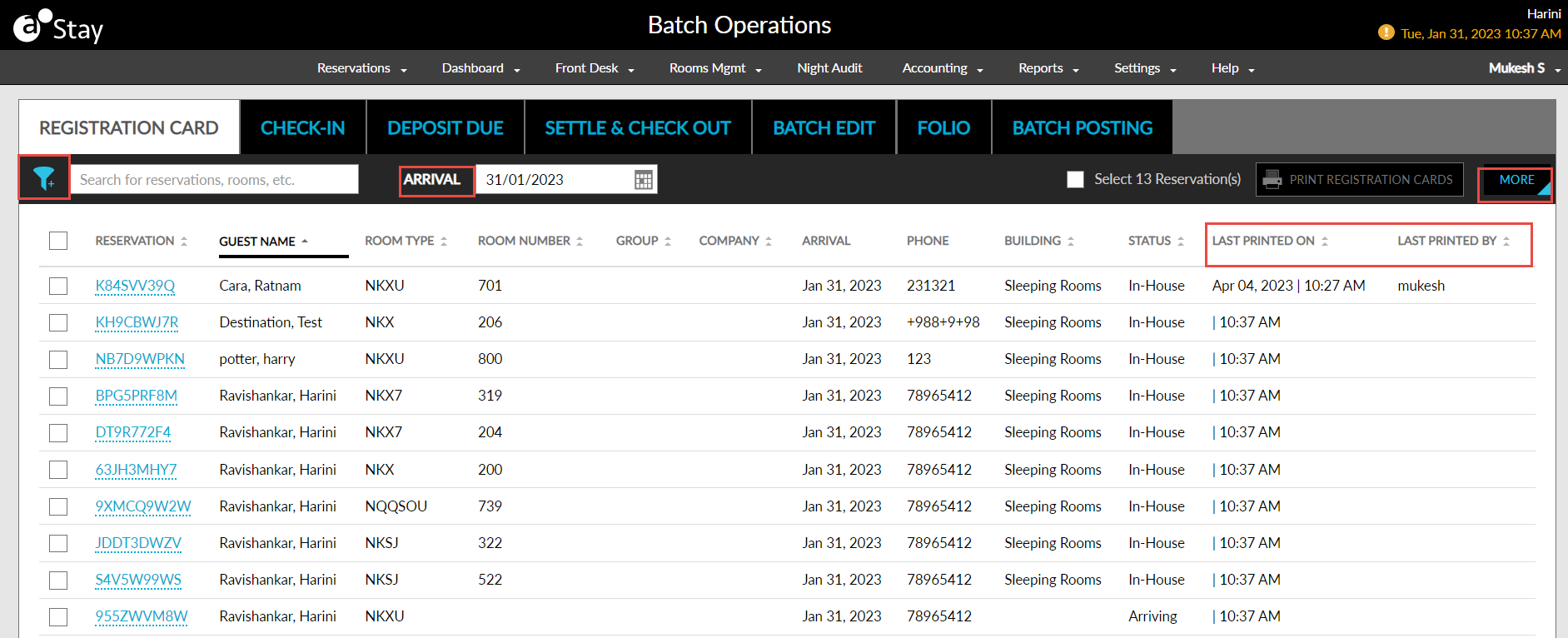
A new column, Status, is added to the Registration Cards section in the Batch Operations screen (Front Desk ➜ Batch Operations ➜ Registration Cards). This column displays the reservation status and can be sorted alphabetically.
-
A new column, Last Printed On, is added next to the Status column. This column displays the date and time of the last print of the registration card for the reservation in the following format: <Date> | <Time>. For example, 23 Jan 2023 | 02:00 PM and can be sorted.
-
A new column, Last Printed By, is added next to the Last Printed On column. This column displays the username of the user who last printed the registration card for the reservation and can be sorted.
-
A new button, More, is added to the top right corner of the Registration Cards tab. When clicked, the new option, Hide Printed Items, is displayed. When selected, the reservations with the last printed details will be hidden.
-
The existing Print icon is replaced with Print Registration Cards button. This button is enabled when one or more reservations are selected.
-
A new filter icon is added to the top left corner of the Registration Cards tab with the following options:
-
Group
-
Company
-
Building
-
Room Type
-
Status
-
-
The date picker in the Registration Cards tab is named as Arrival.
-
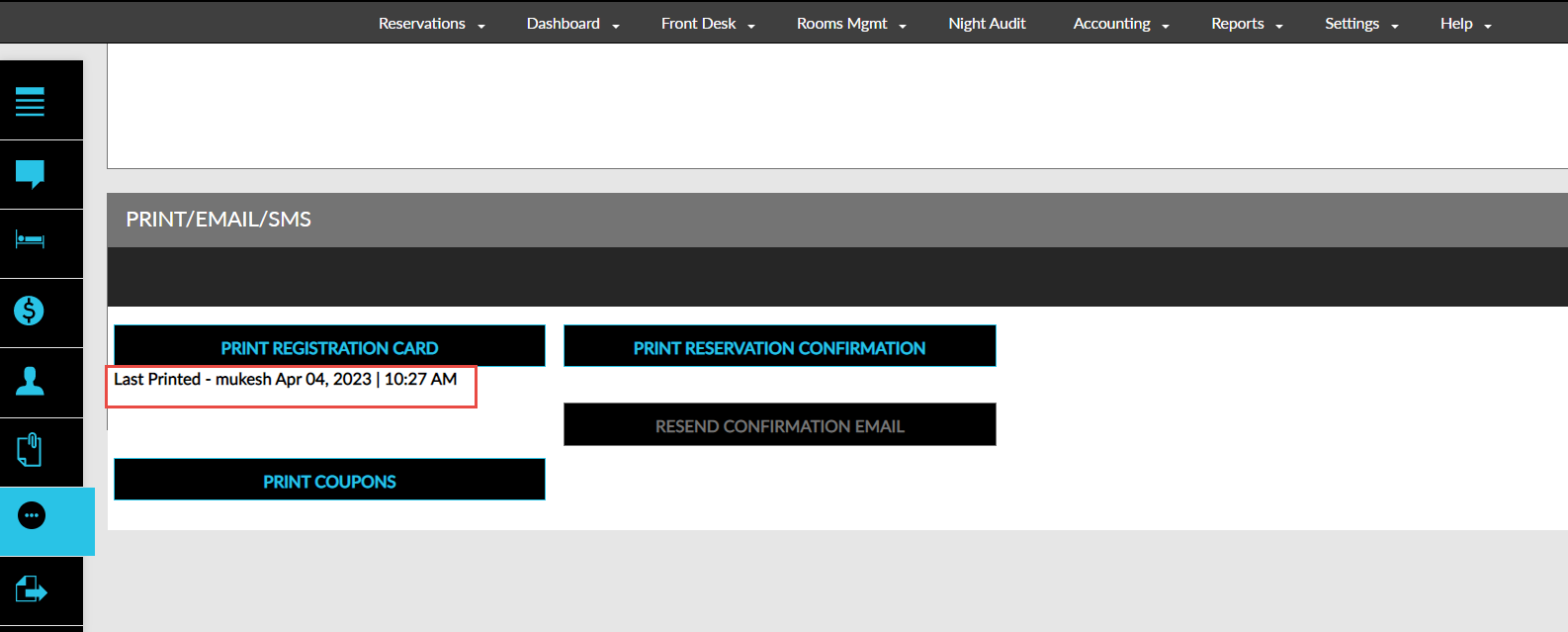
In the Print/Email/SMS section of the Reservation screen, below the Print Registration Card button, the details of the last print of the registration cards are displayed in the following format: Last Printed - <username>, <Date|Time>. For example, Last Printed - JackyRR, 10 Feb 2023 | 04:00 PM.