Handle Property Close/Open Restrictions Across Room Types and Integrations
Stay is enhanced to improve the management of property-level close and open restrictions through the Close/Open Property setup functionality.
This enhancement ensures that property closures are consistently applied across all room types and daily rates, while preserving any pre-existing room type-specific restrictions when the property is reopened. It also ensures that external open requests received through integrations do not override a property closure configured within Stay.
Feature Setting
The Close/Open Property feature setting must be enabled to use this feature.
Close Property Setup
When the feature setting is enabled, users can close the property for up to the next three days starting from the current property date from the Close/Open Property tab of the Property Setup screen (All Settings ➜ General ➜ Property, Buildings & Outlets ➜ Close/Open Property).
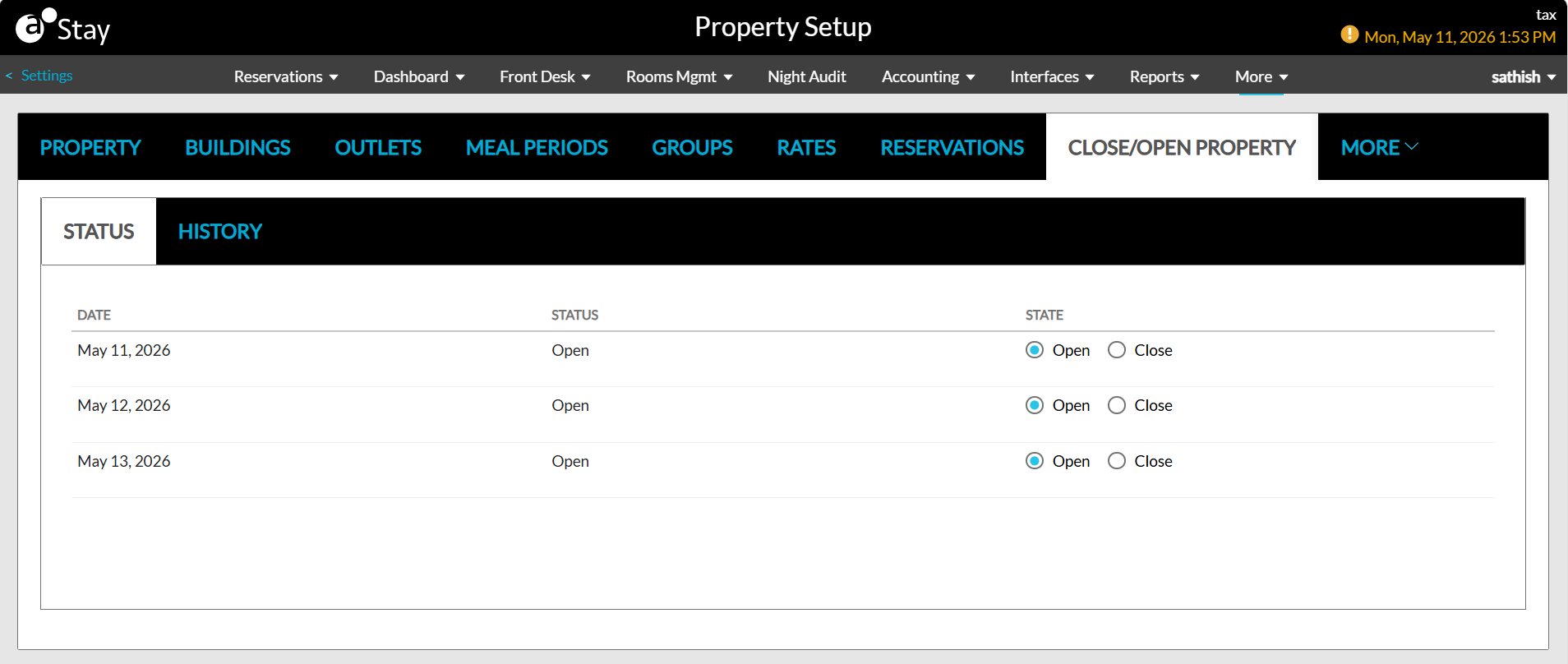
When closed:
-
The system will apply a Closed restriction in the property calendar for all room types.
-
The closed restriction will also be reflected in the Daily Rates screen.
-
Upon hovering over the restriction in the Daily Rates screen, the following message will be displayed: Closed = Property Setup.
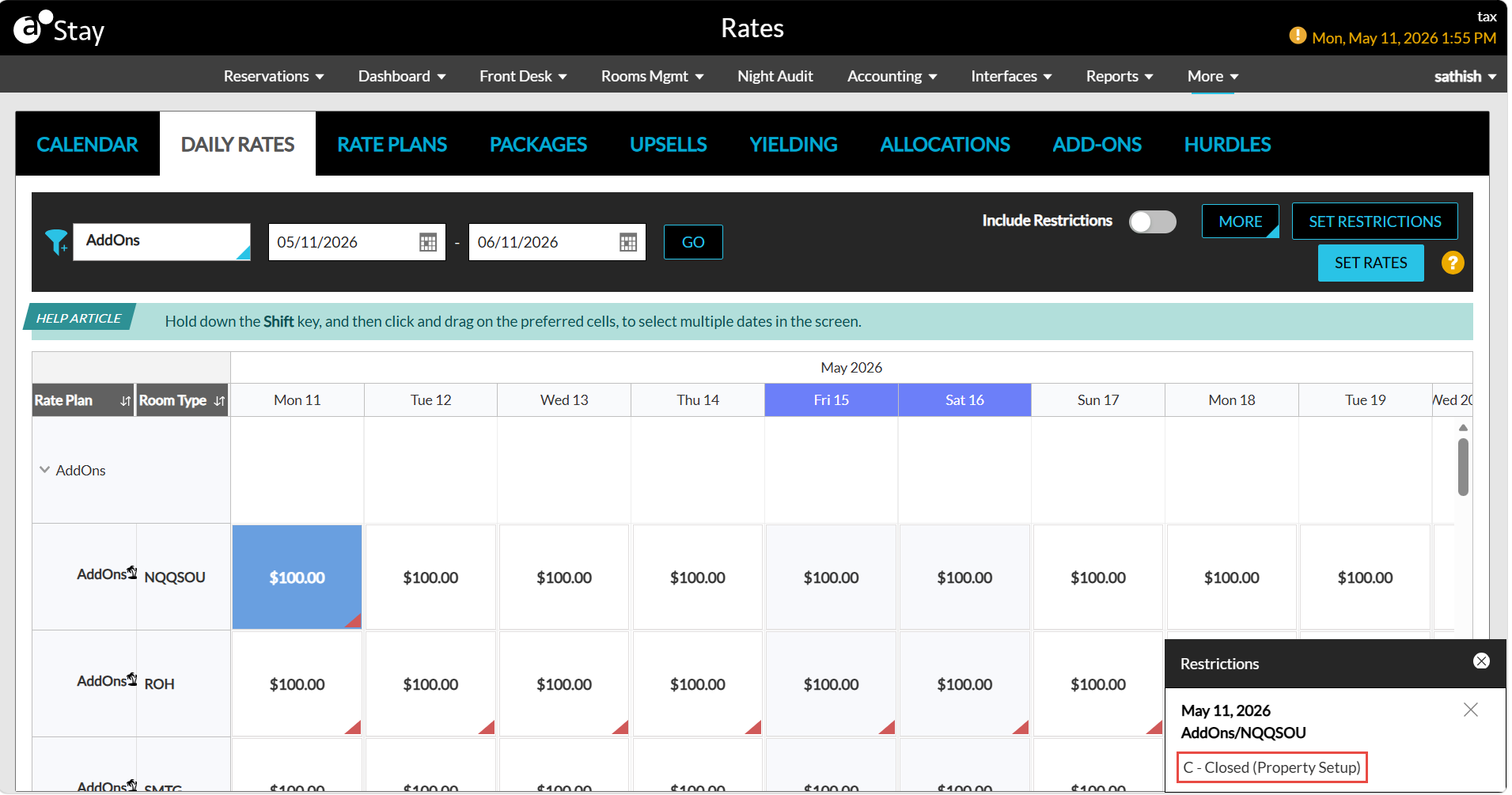
Open Property Setup
When the property is opened from the Close/Open Property tab, the following actions will be performed:
-
The Closed restriction applied through this tab will be removed.
-
Any pre-existing room type-specific restrictions configured in the property calendar will remain unchanged.
Sample Scenario
-
Consider a property that has a closed restriction configured for the King room type in the property calendar. When a user closes the property from the Close/Open Property tab, a closed restriction is applied to all room types.
-
When the property is reopened:
-
All room types that were closed through this tab are opened.
-
The original closed restriction configured for the King room type remains unchanged.
-
Records in the Audit Log
Whenever users modify the open/close status of a property from the Close/Open Property tab, a record is created in the Audit Log screen (Reports ➜ Audit Log).